Question

SecOps – Page Keeps Loading Indefinitely

  • March 18, 2026
  • 9 replies
  • 209 views

Felipe_Pinto
Forum|alt.badge.img+1

After performing the Stage 2 migration of the SOAR environment, we started experiencing intermittent issues when accessing the SecOps (SIEM) web interface.

At certain moments, specific pages fail to load and remain stuck in an infinite loading state (loading spinner displayed indefinitely, with no content rendered).
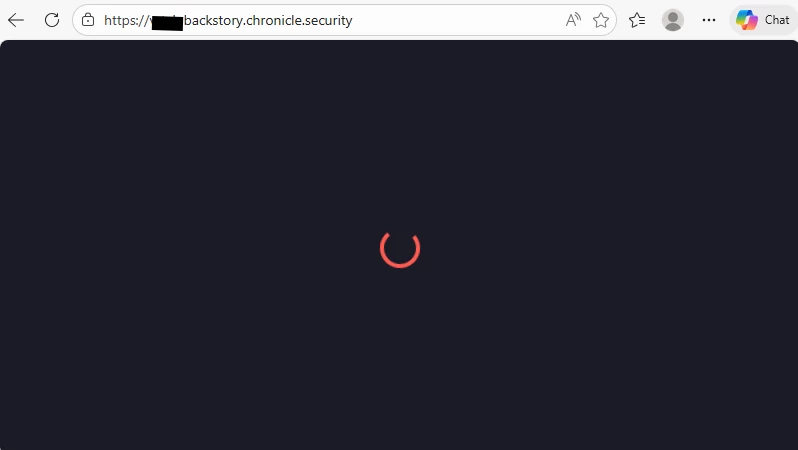


Technical Analysis:

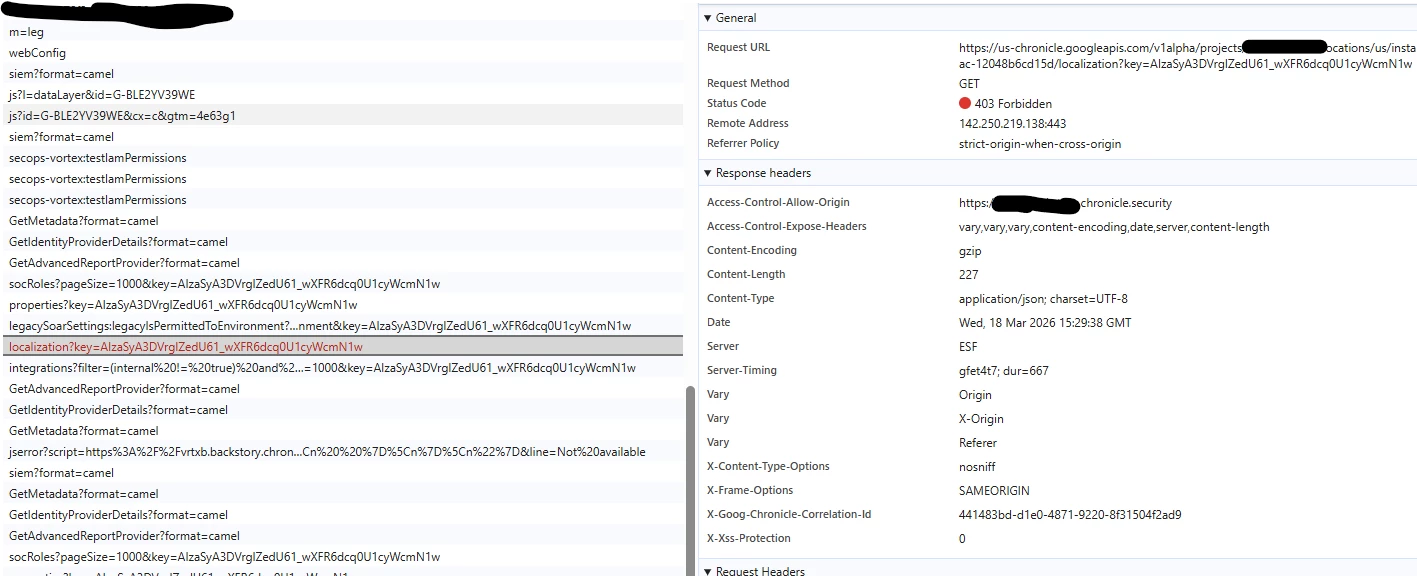
  • Using browser DevTools (Network tab), we identified that one of the backend endpoints is returning HTTP 403 (Forbidden) during page load.

  • This behavior appears to be session-related:

    • When accessing the SIEM using a clean browser session (no cookies/cache), the page loads successfully.

    • However, after navigating the platform (e.g., opening another page in a new tab), the issue reoccurs and the page gets stuck loading again.

Observed Behavior:

  • Infinite loading (UI does not render data)

  • Backend request returning 403

  • Issue reproducible after session reuse/navigation

Expected Behavior:

  • Pages should load consistently regardless of session reuse or navigation between tabs


log explorer:

{
  "protoPayload": {
    "@type": "type.googleapis.com/google.cloud.audit.AuditLog",
    "status": {
      "code": 7,
      "message": "{\"errorCode\":2000,\"errorMessage\":\"You cannot access other users localization settings\",\"innerException\":null,\"innerExceptionType\":null,\"correlationId\":\"5a96a48cd50b45a4ae5b805f2328bf53\"}"
    },
    "authenticationInfo": {
      "oauthInfo": {
        "oauthClientId": "anonymous"
      }
    },
    "requestMetadata": {
      "callerIp": "*********",
      "callerSuppliedUserAgent": "Mozilla/5.0 (Windows NT 10.0; Win64; x64) AppleWebKit/537.36 (KHTML, like Gecko) Chrome/146.0.0.0 Safari/537.36 Edg/146.0.0.0,gzip(gfe)",
      "requestAttributes": {
        "time": "2026-03-18T15:28:50.993083525Z",
        "auth": {}
      },
      "destinationAttributes": {}
    },
    "serviceName": "chronicle.googleapis.com",
    "methodName": "google.cloud.chronicle.v1alpha.UserLocalizationService.GetUserLocalization",
    "authorizationInfo": [
      {
        "resource": "projects/***********/locations/us/instances/***********/legacySoarUsers/***********/localization",
        "permission": "chronicle.userLocalizations.get",
        "granted": true,
        "resourceAttributes": {},
        "permissionType": "DATA_READ"
      }
    ],
    "resourceName": "projects/***********/locations/us/instances/***********/legacySoarUsers/***********/localization",
    "request": {
      "name": "projects/***********/locations/us/instances/***********/legacySoarUsers/***********/localization",
      "@type": "type.googleapis.com/google.cloud.chronicle.v1alpha.GetUserLocalizationRequest"
    }
  },
  "insertId": "1desjrpe1ctmg",
  "resource": {
    "type": "audited_resource",
    "labels": {
      "project_id": "*********",
      "service": "chronicle.googleapis.com",
      "method": "google.cloud.chronicle.v1alpha.UserLocalizationService.GetUserLocalization"
    }
  },
  "timestamp": "2026-03-18T15:28:50.973216758Z",
  "severity": "ERROR",
  "logName": "projects/*********/logs/cloudaudit.googleapis.com%2Fdata_access",
  "receiveTimestamp": "2026-03-18T15:28:51.786757750Z"
}


9 replies

cmorris
Staff
Forum|alt.badge.img+12
  • Staff
  • March 18, 2026

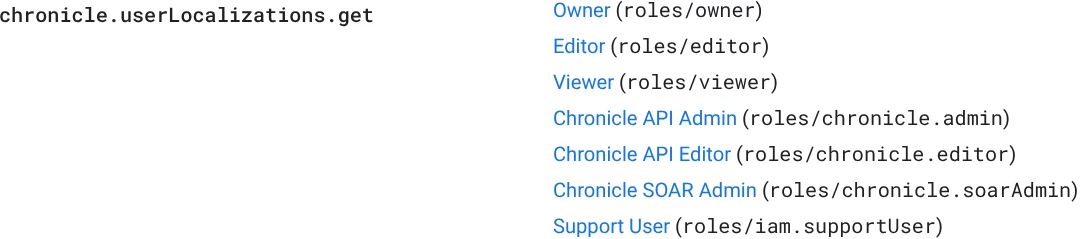
The permission from the error log should exist in the predefined roles. Are custom or predefined roles in use? Either way, it sounds like an issue with the IAM portion of the migration. I would recommend submitting a support case if you are not able to access SecOps.


Felipe_Pinto
Forum|alt.badge.img+1
  • Author
  • New Member
  • March 19, 2026

Hi ​@cmorris .
 

The user account used to collect this evidence has the Chronicle SOAR Admin role.

When I open the browser and access SecOps for the first time, I am able to navigate normally without any issues. However, if I attempt to open any page in a new browser tab, the error occurs consistently.

If I continue using the original tab where SecOps was initially opened, I can access any page without problems.


darrenswift
Staff
Forum|alt.badge.img+4
  • Staff
  • March 19, 2026

The audit log shows ‘oauthclientId’ as ‘anonymous’ 

Is there a proxy between your client and SecOps?
Are you running any extensions in Chrome such as ad blockers which maybe causing this to fail?


ChrisSec
Forum|alt.badge.img
  • New Member
  • March 20, 2026

Hello,

I'm experiencing the exact same issue with oauthclientId appearing as anonymous. In my environment, this specifically affects new users; if I delete an existing user and attempt to re-authenticate, they also get stuck at the infinite spinning wheel.

The official documentation remains quite vague on SOAR Migration and IAM. I’ve been documenting my tests and findings in a blog post, as the logic seems to shift with every SOAR update.

Were you able to find a fix for this? I’m keeping my post updated with any news:
https://medium.com/@HavSec/deciphering-google-secops-soar-iam-access-control-the-post-migration-reality-a571236a5b29


darrenswift
Staff
Forum|alt.badge.img+4
  • Staff
  • March 20, 2026

Hi Chris, 


Thank you for sharing the post which Chris Martin wrote, it seems he also encountered this issue. I will go and test / replicate what Chris Martin has done. If this is frequently happening please log a support case, reading Chris Martin's article this seems entirely reproducible and could be an issue support need to rectify. I will report back with any testing or updates. 


Thanks


ChrisSec
Forum|alt.badge.img
  • New Member
  • March 20, 2026

Hi darren,

the link is actually to my blog post. I have included a reference to Chris Martin’s excellent article within it, as he also covers this topic a little bit. His insights have always been incredibly helpful, and it would be a privilege to collaborate with him in the future to produce a helpful article specifically on the SOAR Migration IAM topic.

In the meantime, I will open a support ticket to track this 'anonymous' error.

Thank you


darrenswift
Staff
Forum|alt.badge.img+4
  • Staff
  • March 20, 2026

Hi Chris, 

Apologies my mistake there, too many Chris’s! 


Thanks 


Forum|alt.badge.img+13

Are you using Chronicle API Viewer?  If so, it may be missing these IAM permissions which SOAR needs:

```

chronicle.moduleSettingsProperties.get,

chronicle.propertySchemaDefinitions.get,

chronicle.systemNotifications.get,

chronicle.userLocalizations.get,

chronicle.userNotifications.get.

```


Felipe_Pinto
Forum|alt.badge.img+1
  • Author
  • New Member
  • March 20, 2026

I am using the Chronicle SOAR Admin role, and the issue still occurs. I do not believe this is related to permissions, as the behavior only happens under specific conditions.

When I first access SecOps, I am able to navigate normally. However, after opening a new browser tab, I can no longer access the environment.

Additionally, if I close the initial tab and try to access SecOps again, the same issue occurs.

In most cases, I need to fully close the browser and start a new session in order to regain access.