Solved

Show Entity Enrichment data in SOAR Dashboard

  • February 16, 2026
  • 4 replies
  • 131 views

jaymin
Forum|alt.badge.img+6

Hello Community,

I am creating a dashboard for the SOAR usecase. I want to show the number of entities got enriched with the my integration. I am referring this SOAR Data Dashboard.

I have tried this query. 
 

$casename = case.name
$caseId = case.display_name
$env = case.environment
$env = "Default Environment"
$EntityType = case.alerts.entities.type
$EntityId = case.alerts.entities.identifier
$enriched = case.alerts.entities.enriched
$add_prop = case.alerts.entities.additional_properties
re.regex($add_prop, /IsEnriched":"True/)
$manual = case.alerts.entities.manually_created
// $manual = false
// $enriched = true
$EntityType = "ADDRESS" OR $EntityType = "FILEHASH" OR $EntityType = "DOMAIN"
match:
$env
, $caseId
, $EntityType
, $EntityId, $manual,
$add_prop

When i try this filter $enriched=true it is not returning any entity information. I have also tried to filter using regex to the additional_properties feld but no result.

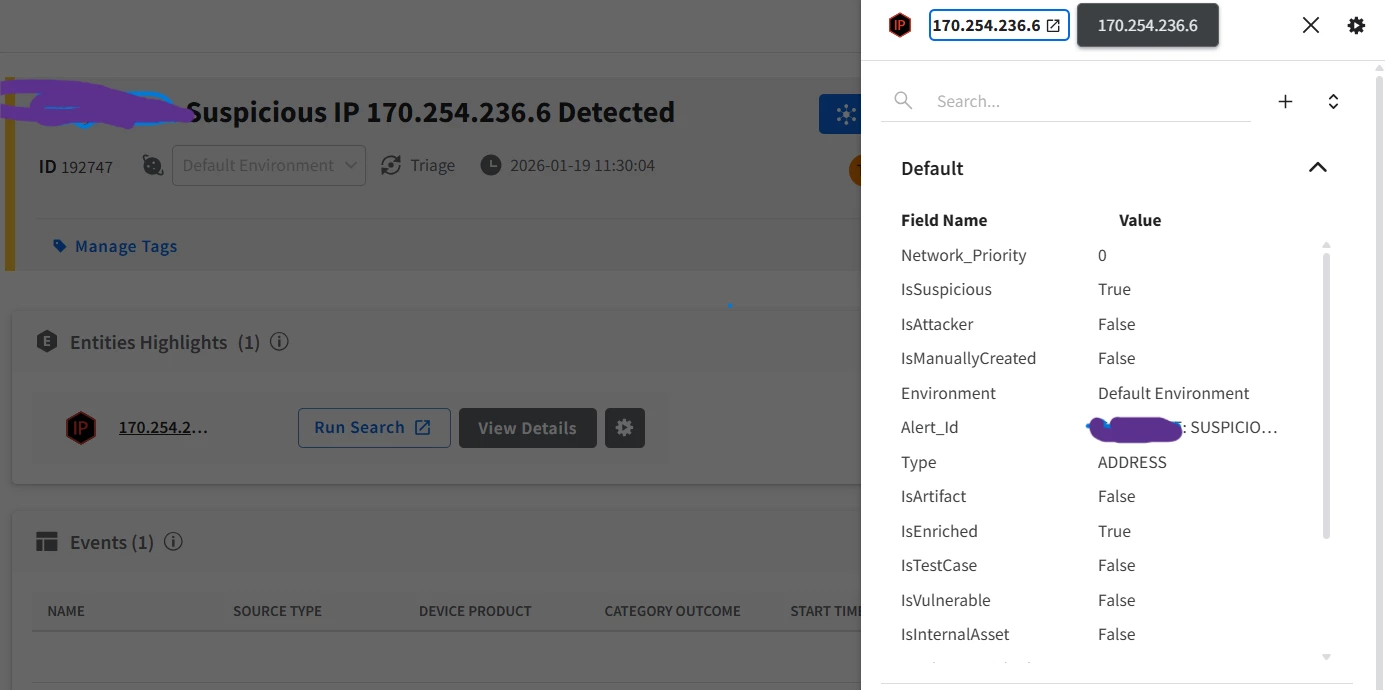
I have cross checked the same case and it’s entity it is enriched. But in the dashbaord it is not reflecting.
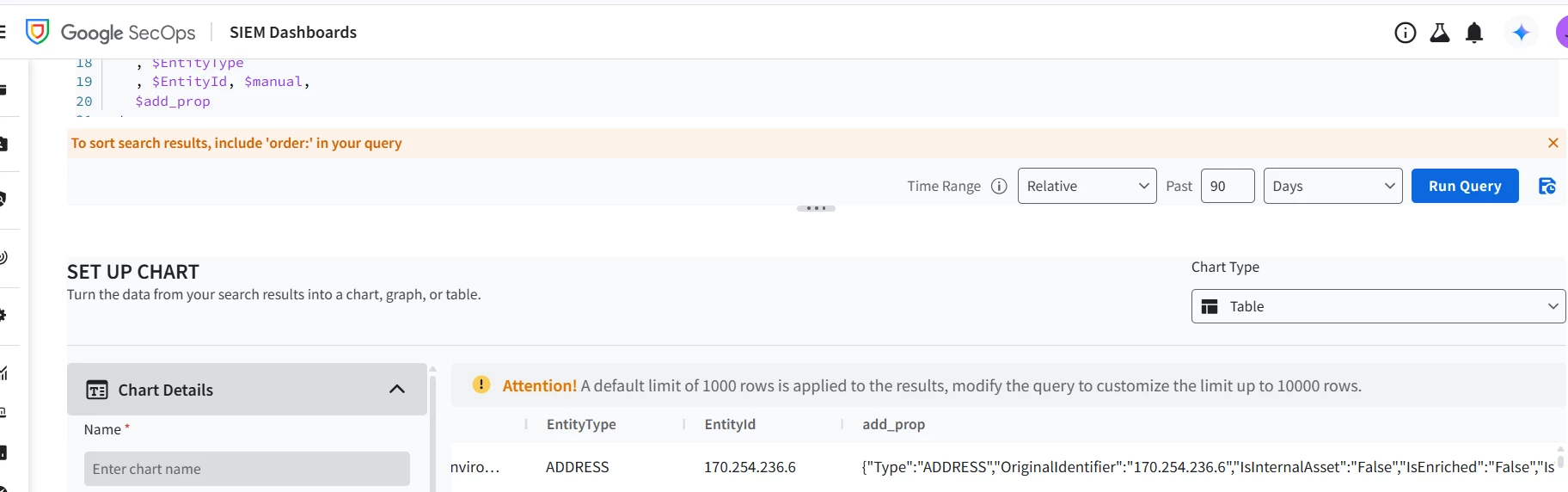


Can someone guide here on how to show the enriched entity information in the SOAR Dashboard?

Best answer by dnehoda

How to Get This Data on Your Dashboard

Since we cannot query the live SOAR Entity Explorer directly from a YARA-L Native Dashboard, you have two main paths forward:

1. Track Playbook Actions (Native Dashboard) Instead of trying to count the enriched entities, pivot the dashboard to count the actions. You can query the SOAR playbook data natively in YARA-L to track how many times your specific enrichment integration or playbook successfully executed. This gives you the operational metric you are looking for without fighting the schema.

2. Use BYOBQ (Bring Your Own BigQuery) If you absolutely must report on the specific, granular enrichment values (the JSON data you were looking for in $add_prop) added by the SOAR integration, you cannot use the Native YARA-L Dashboard. You will need to build your dashboard in Looker or Looker Studio and connect it directly to the BigQuery export of your SOAR data (specifically, the siemplify_search_everything_db). This database contains the live, updated SOAR entity records.

4 replies

kentphelps
Community Manager
Forum|alt.badge.img+12
  • Community Manager
  • March 6, 2026

Can you post a sample snippet of the additional_properties text from one of your enriched entities?


dnehoda
Staff
Forum|alt.badge.img+16
  • Staff
  • March 6, 2026

The SIEM vs. SOAR Disconnect

In Google SecOps, the Native Dashboards (which run YARA-L) execute their queries against the UDM (Unified Data Model) database. This represents the SIEM side of the house.

  • SIEM Enrichment (case.alerts.entities.enriched): When an alert is initially ingested, the SIEM pipeline might automatically enrich it (e.g., applying GeoIP or basic threat intelligence aliasing). If that happens during ingestion, this specific UDM field flips to true. This data becomes an immutable, static snapshot of the alert at that exact point in time.

  • SOAR Enrichment (Your Integration): When your alert is promoted to a case, it moves into the SOAR engine. Your playbook runs, the integration fires, and it enriches the entity. This new data is saved directly to the SOAR Entity Explorer database, which is what powers the Case Wall in your UI.

The Catch: SOAR playbook enrichments do not flow backward to rewrite or update the original, immutable UDM alert snapshot.

Because your dashboard query is strictly looking at the UDM snapshot (case.alerts.entities), it is seeing the entity exactly as it existed before your SOAR playbook ever touched it. That is why it evaluates as false and drops your results when you try to filter for true.


dnehoda
Staff
Forum|alt.badge.img+16
  • Staff
  • Answer
  • March 6, 2026

How to Get This Data on Your Dashboard

Since we cannot query the live SOAR Entity Explorer directly from a YARA-L Native Dashboard, you have two main paths forward:

1. Track Playbook Actions (Native Dashboard) Instead of trying to count the enriched entities, pivot the dashboard to count the actions. You can query the SOAR playbook data natively in YARA-L to track how many times your specific enrichment integration or playbook successfully executed. This gives you the operational metric you are looking for without fighting the schema.

2. Use BYOBQ (Bring Your Own BigQuery) If you absolutely must report on the specific, granular enrichment values (the JSON data you were looking for in $add_prop) added by the SOAR integration, you cannot use the Native YARA-L Dashboard. You will need to build your dashboard in Looker or Looker Studio and connect it directly to the BigQuery export of your SOAR data (specifically, the siemplify_search_everything_db). This database contains the live, updated SOAR entity records.


AymanC
Forum|alt.badge.img+14
  • Bronze 5
  • March 8, 2026

Hey ​@jaymin,


I’ve run your search, and for our entire case dataset, all of them are showing as IsEnriched is False, when that’s not true for a lot of them (as they show IsEnriched as true when looking at the actual case) - may require engineering to take a look at this one.


Kind Regards,

Ayman