Question

SOAR Search Not Returning Closed Cases

  • February 6, 2026
  • 4 replies
  • 85 views

Austin123
Forum|alt.badge.img+4

Hi Team,

We have closed the case (simulated case). However, when searching in SOAR Search , I’m unable to find the closed case ID( However, the case ID is visible when searched from the dashboard), while a few other simulated cases are visible in the SOAR search.

Is there any difference between manually simulated cases and playbook-simulated cases.

Additionally, when checking the dashboard, the count of open and closed cases does not match the numbers shown when performing in soar search.

Could you please help us understand why this mismatch is occurring.

Thanks 

4 replies

Austin123
Forum|alt.badge.img+4
  • Author
  • Bronze 3
  • February 9, 2026

Hi team ,

Any update!


ionutm
Staff
Forum|alt.badge.img+6
  • Staff
  • February 10, 2026

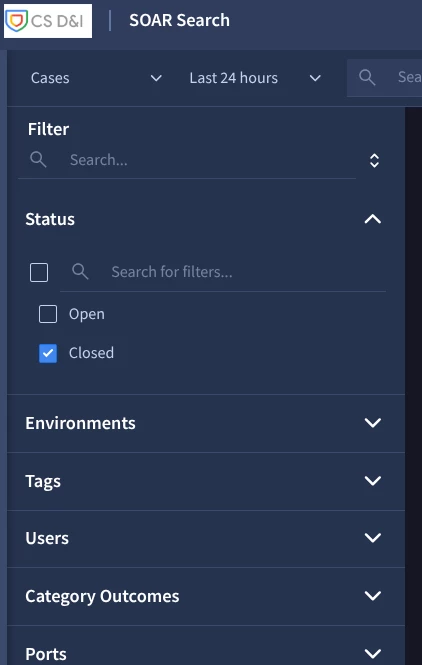
@Austin123 To confirm, did you do the SOAR Search and ticked the Closed Cases option on Status? 


Austin123
Forum|alt.badge.img+4
  • Author
  • Bronze 3
  • February 11, 2026

Hi ​@ionutm  ,

Yes I have checked too.


ionutm
Staff
Forum|alt.badge.img+6
  • Staff
  • February 12, 2026

Got it, thanks ​@Austin123!


So I am not sure about your timelines, but the primary reason for the mismatch between the Dashboard and SOAR Search is indexing latency.

  • Dashboards: These usually pull from a near-real-time database. When you close a case, the status update is reflected in the dashboard database almost instantly.

  • SOAR Search: This uses  indexing. For a case to appear in the "Search" tab (especially when filtering by status), the index needs to be updated. Depending on your environment's load and the specific sync cycle, there can be a delay ranging from a few minutes to over an hour before a closed case becomes "searchable" as a closed case.

  • Recommendation: If you need to find the case immediately, use the Case ID directly in the global search or the Dashboard, as those bypass the full indexed search engine.


Manual and playbook simulations are both useful for testing, but they can behave differently sometimes, maybe this comparison will help.

Feature Manually Simulated Cases Playbook-Simulated Cases
Creation Created via "Simulate Case" in the UI. Created during a "Playbook Run" (Simulation Mode).
Searchability Typically treated as a full "Case" object and indexed for search. Often exist in a "temporary" state for testing logic.
Persistence Permanent until deleted; visible in most queues. May not trigger all downstream reporting/indexing if the "Simulate" flag is strictly applied.
Environment

Usually tied to the "Test" environment.

Can be scoped to the IDE environment.