Question

Tagging GCP Logs From Multiple Projects

  • May 15, 2026
  • 5 replies
  • 62 views

lifeofmorpheus
Forum|alt.badge.img+1

Hi All,

We have onboarded logs from multiple GCP projects using direct ingestion into SecOps.  However, the GCP projects belong to different business solutions.

The objective is to tag the logs from GCP projects based on the business owner or solutions.

I have read some article suggesting to use custom ingestion pipelines: Multi-Tenant Google Cloud log collection with PubSub Push | by Chris Martin (@thatsiemguy) | Medium and like the article confirmed - it’s going to incur additional cost.

Please, anyone know how best to tag logs from multiple GCP projects with the existing ingestion method.

Regards.

5 replies

cmorris
Staff
Forum|alt.badge.img+13
  • Staff
  • May 15, 2026

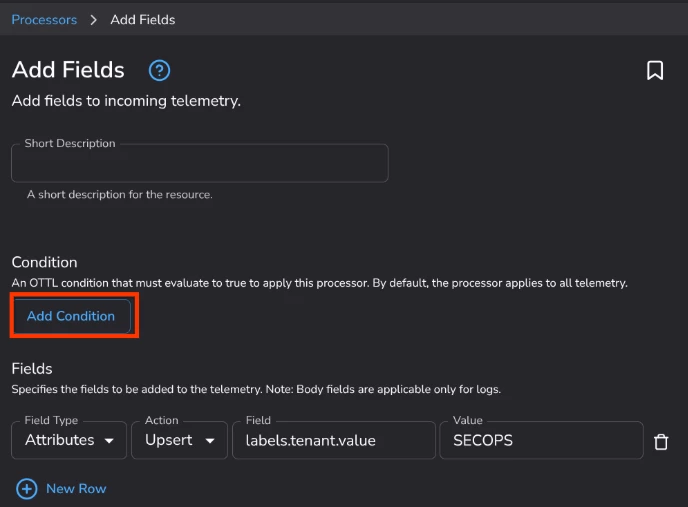
You could use Data Processing Pipelines with the Add Fields Processor.
Docs: https://docs.cloud.google.com/chronicle/docs/ingestion/data-processing-pipeline 
Webinar: https://www.youtube.com/watch?v=47PGRaCBuT0


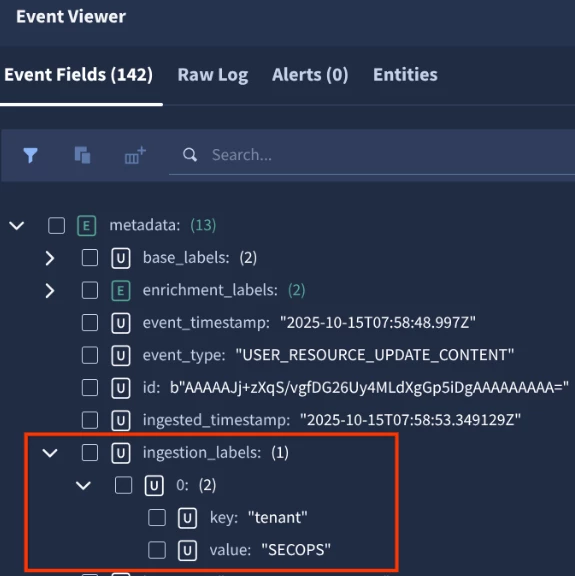
Add Fields processor example - update the Condition to look at Project ID and then the Field and Value for the field that will be added to business owner, for example.

Fields added:


lifeofmorpheus
Forum|alt.badge.img+1

You could use Data Processing Pipelines with the Add Fields Processor.
Docs: https://docs.cloud.google.com/chronicle/docs/ingestion/data-processing-pipeline 
Webinar: https://www.youtube.com/watch?v=47PGRaCBuT0


Add Fields processor example - update the Condition to look at Project ID and then the Field and Value for the field that will be added to business owner, for example.

Fields added:


Hi ​@cmorris, thanks for the suggestion.  However, we are not using Bindplane in our case.  We are ingesting directly from GCP into SecOps.  As far as I know, there is no functionality to set any labels before ingestion - which is the reason for my question.


cmorris
Staff
Forum|alt.badge.img+13
  • Staff
  • May 17, 2026


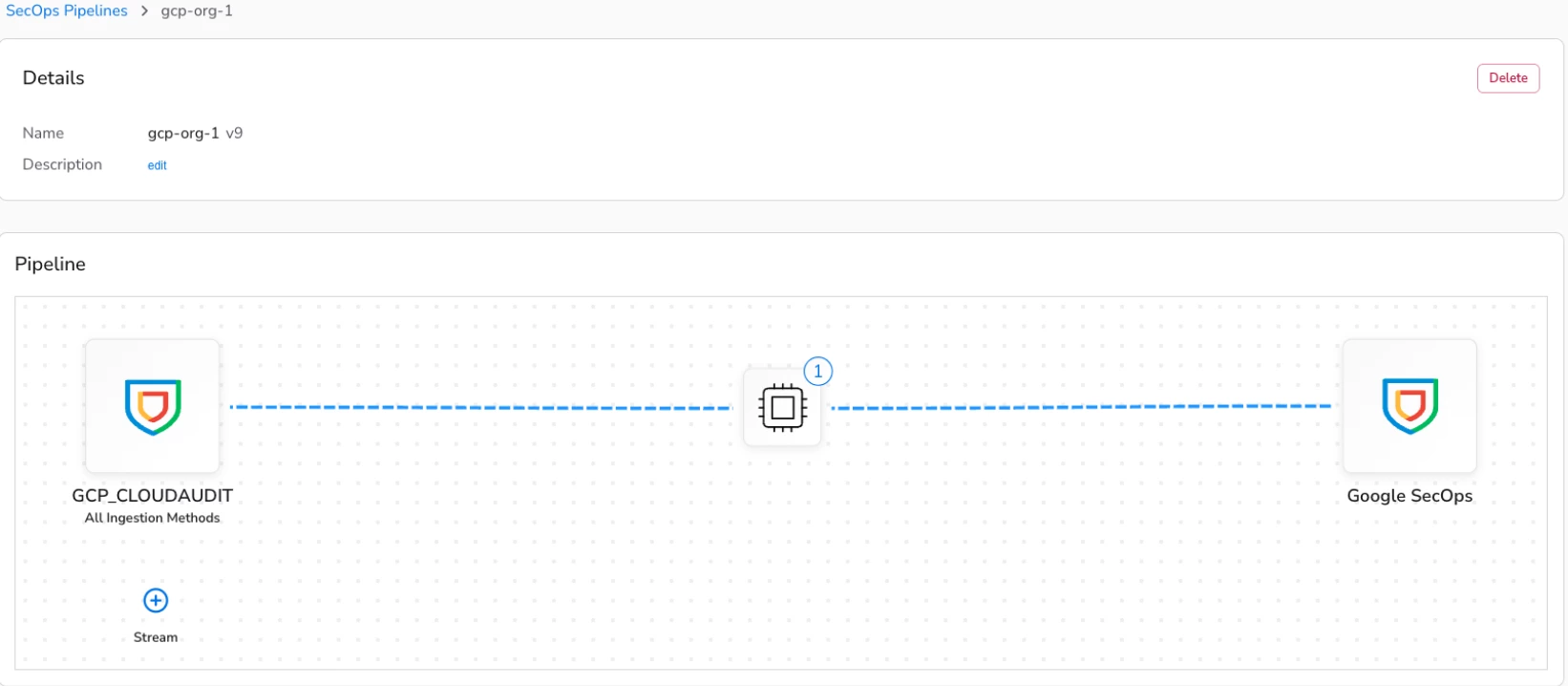
Data Processing Pipelines supports GCP native ingestion - ex. native ingest of GCP Cloud Audit logs with a processor:

This feature added in an OTel library in the SecOps ingestion pipeline. You are no longer limited to transforming on-prem logs coming from Bindplane. Setting up the Bindplane console, even if you are not using it for other logs, may be the easiest way of adding processors to non on-prem sources, but it is also doable through the API:

https://docs.cloud.google.com/chronicle/docs/ingestion/data-processing-pipeline#using_secops_data_pipeline_apis 


lifeofmorpheus
Forum|alt.badge.img+1


Data Processing Pipelines supports GCP native ingestion - ex. native ingest of GCP Cloud Audit logs with a processor:

This feature added in an OTel library in the SecOps ingestion pipeline. You are no longer limited to transforming on-prem logs coming from Bindplane. Setting up the Bindplane console, even if you are not using it for other logs, may be the easiest way of adding processors to non on-prem sources, but it is also doable through the API:

https://docs.cloud.google.com/chronicle/docs/ingestion/data-processing-pipeline#using_secops_data_pipeline_apis 

thanks, ​@cmorris.  However, we are ingesting directly from Google Cloud: 

https://docs.cloud.google.com/chronicle/docs/ingestion/default-parsers/ingest-gcp-logs#enable-direct-ingestion

So there is no Bindplane in the architecture at all.

Based on all I have read, there seems not to be a way to include a tag with direct ingestion, unfortunately.


cmorris
Staff
Forum|alt.badge.img+13
  • Staff
  • May 18, 2026

Understood, but with direct ingestion for GCP logs, this is still possible, but requires the Data Processing Pipeline feature. If you do not want to use Bindplane, you can use the APIs to manage - https://docs.cloud.google.com/chronicle/docs/ingestion/data-processing-pipeline#using_secops_data_pipeline_apis