TIPCommon Library Installation

  • April 17, 2023
  • 7 replies
  • 148 views

Forum|alt.badge.img

How can I install TIPCommon Library in a custom integration ?

7 replies

Forum|alt.badge.img+1
  • New Member
  • April 30, 2023

Hi Alan, Here is my recommendation

1. You can look at one of the commercial integrations in the Marketplace -> Download Trend Vision integration for example that has the required TIP Common library version. The latest is 1.0.12.

2. Export the integration via the IDE to your local computer

3. Open the dependencies folder and locate the TIP Common package

4. Navigate to the integration you wanted to add this dependency to, press the configuration icon

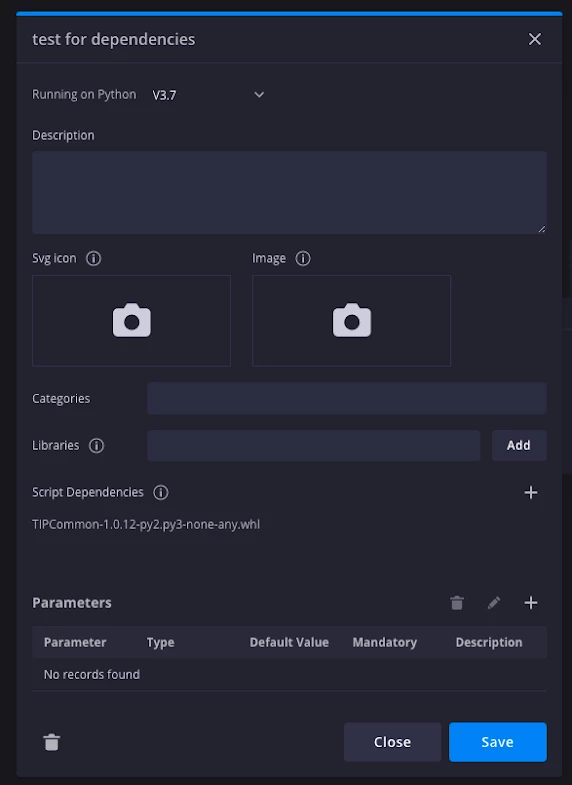
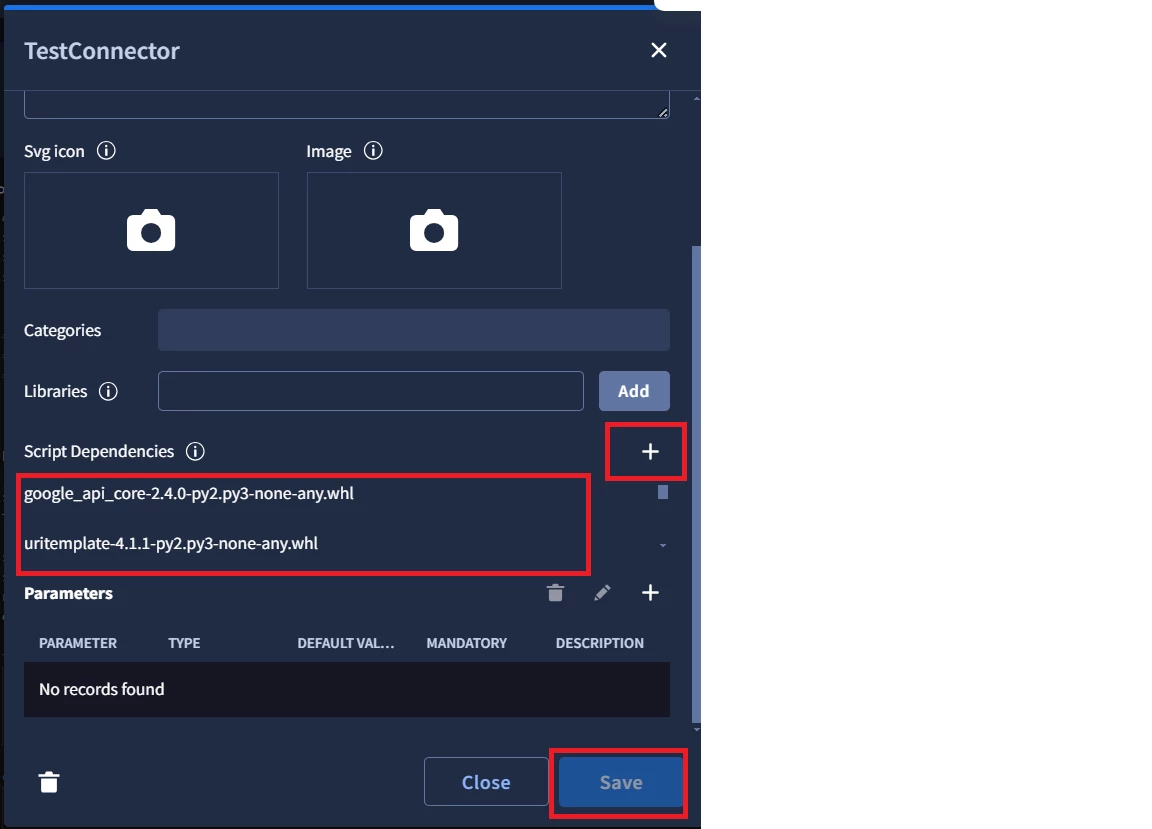
5. On the script dependencies section in the Configuration , press the '+' icon to add a dependency

6. Add the TIP Common package

7. The end result should look like this:


Forum|alt.badge.img+2
  • Bronze 2
  • April 9, 2024

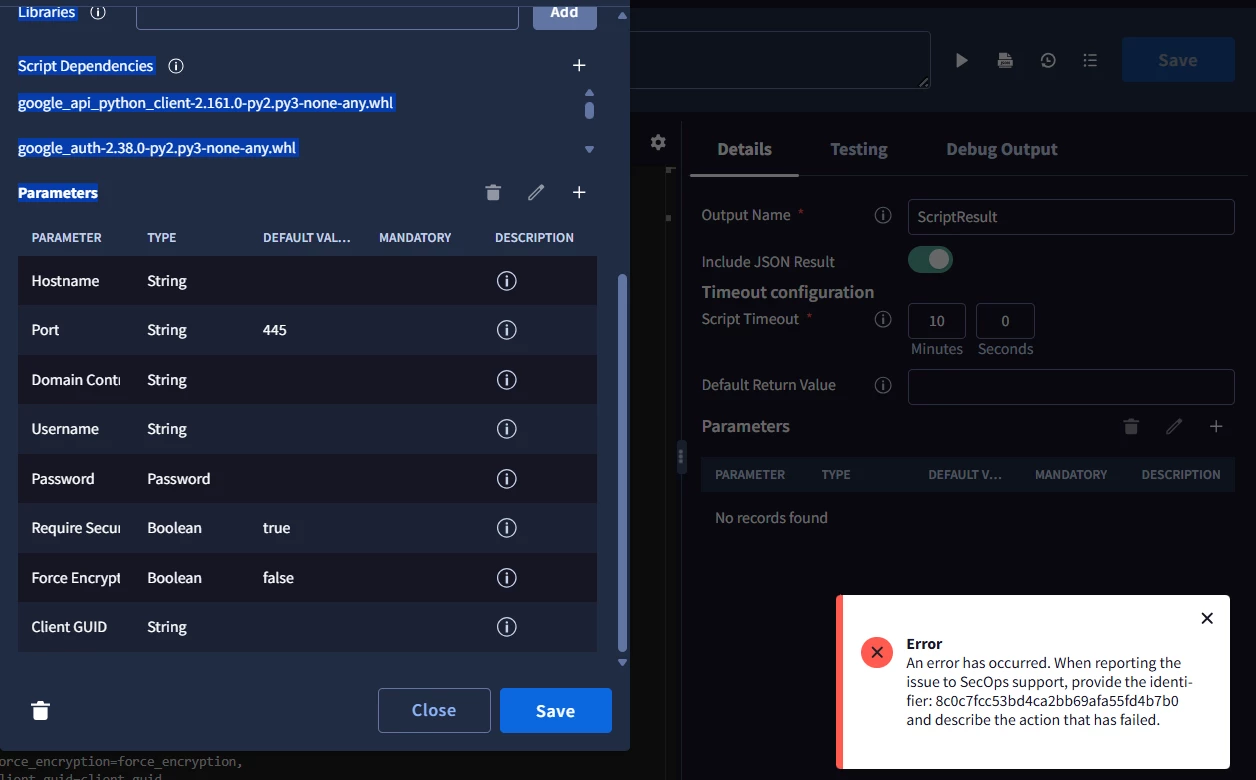
I add TIPCommon-1.1.5.2-py2.py3-none-any.whl but I cannot save

it error occured.


f3rz
Staff
Forum|alt.badge.img+10
  • Staff
  • April 9, 2024

Hi @thida TIPCommon library has prerequisites that's needs to be installed together with it. 
Therefore, I would recommend you to:

1. Find newest updated integration in Marketplace;
2. Install it from Marketplace;
3. Export it using IDE;
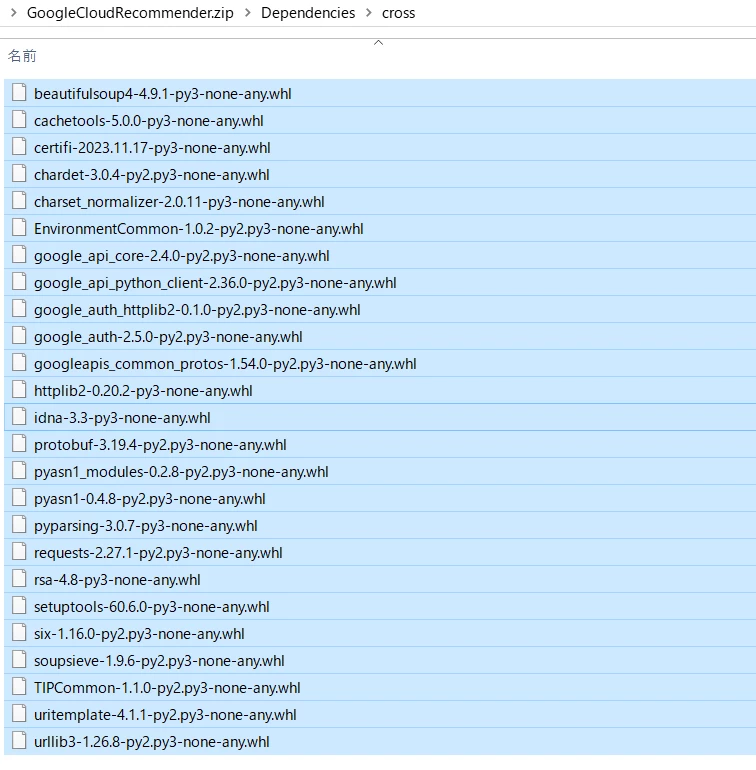
4. Unzip and find folder with all dependencies (.whl files)
5. Import all of them to your custom integration 

Hard way would be to figure out which dependencies are necessary and which not. 


Forum|alt.badge.img+2
  • Bronze 2
  • April 10, 2024

Thanks a lot,I could added "TIPCommon" in script dependencies successfully.😊


samryanturner
Forum|alt.badge.img+7

Are you able to tell us what dependencies it requires? Trying to keep things as lean as possible in our environment.


f3rz
Staff
Forum|alt.badge.img+10
  • Staff
  • September 18, 2024

Are you able to tell us what dependencies it requires? Trying to keep things as lean as possible in our environment.


Here's an example for TIPCommon 2.0.1:

Requires-Dist: google-api-python-client Requires-Dist: google-auth Requires-Dist: google-auth-httplib2 Requires-Dist: httpx Requires-Dist: pycryptodome Requires-Dist: requests

 You can find it by renaming TIPCommon with specific version from .whl to .zip, unzipping it and checking METADATA file in TIPCommon-version.dist-info (for example: TIPCommon-2.0.1.dist-info/METADATA)


samryanturner
Forum|alt.badge.img+7

Here's an example for TIPCommon 2.0.1:

Requires-Dist: google-api-python-client Requires-Dist: google-auth Requires-Dist: google-auth-httplib2 Requires-Dist: httpx Requires-Dist: pycryptodome Requires-Dist: requests

 You can find it by renaming TIPCommon with specific version from .whl to .zip, unzipping it and checking METADATA file in TIPCommon-version.dist-info (for example: TIPCommon-2.0.1.dist-info/METADATA)


Awesome thank you!