Solved

Track Mean time to Respond

  • May 6, 2025
  • 2 replies
  • 87 views

d_patel_dj
Forum|alt.badge.img+3

Hi,

I'm looking to track Mean Time to Respond (MTTR) for our SecOps team. Specifically, I want to measure the duration between an alert's creation (when it's initially assigned to the general 'analyst' role) and when it's subsequently assigned to an individual analyst.

Is it possible to track this specific interval within SecOps?

Thanks 🙂 
Best answer by ddiserens

@d_patel_dj 

The easiest way to track this would be to implement stage changes. 

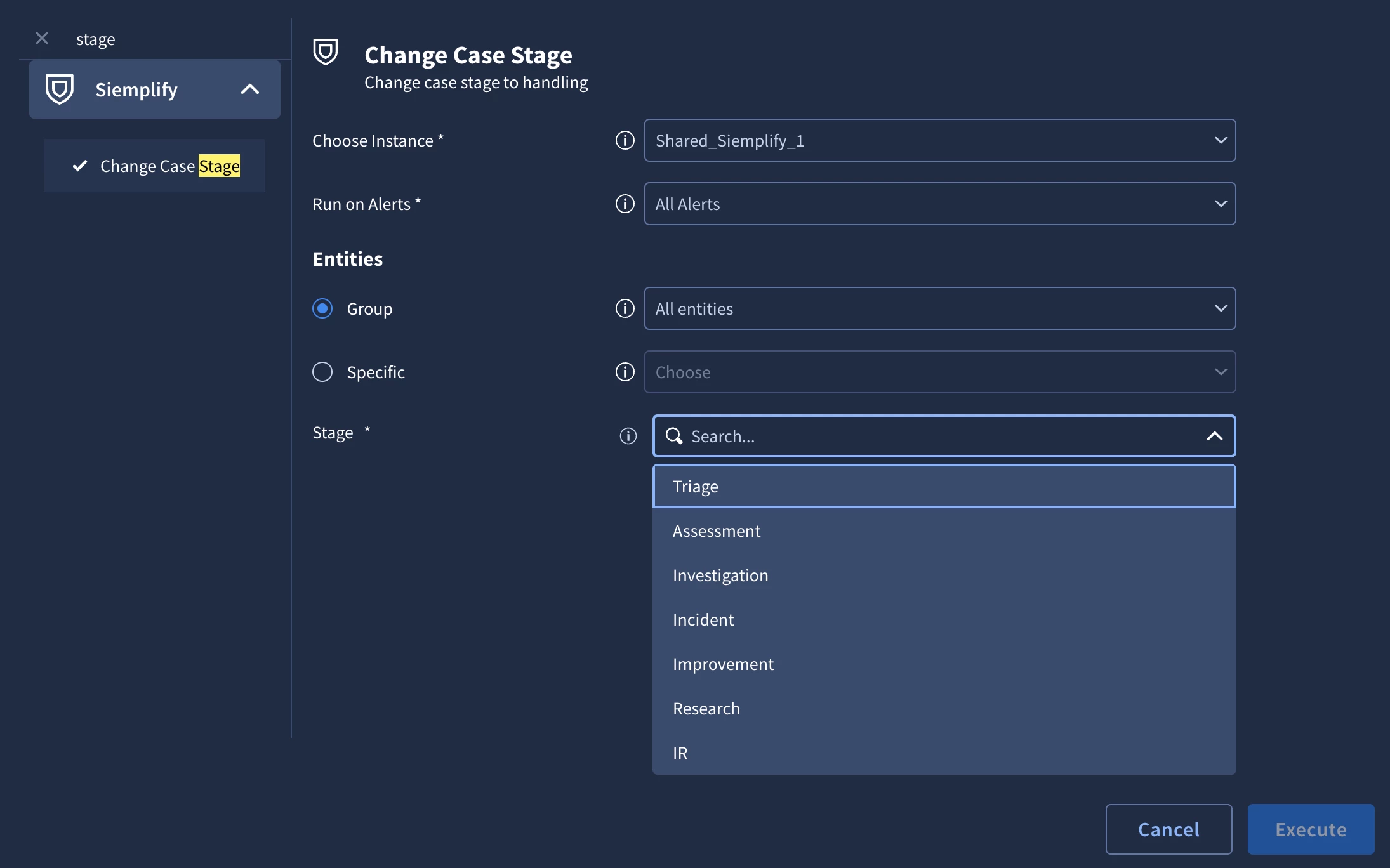
Every alert that comes in will begin in the triage stage. As you progress in the playbook with automated and manual actions, use the "Change Case Stage" Action to move the case to another stage.

Case Stages are customizable under SOAR Settings -> Case Data -> Case Stages

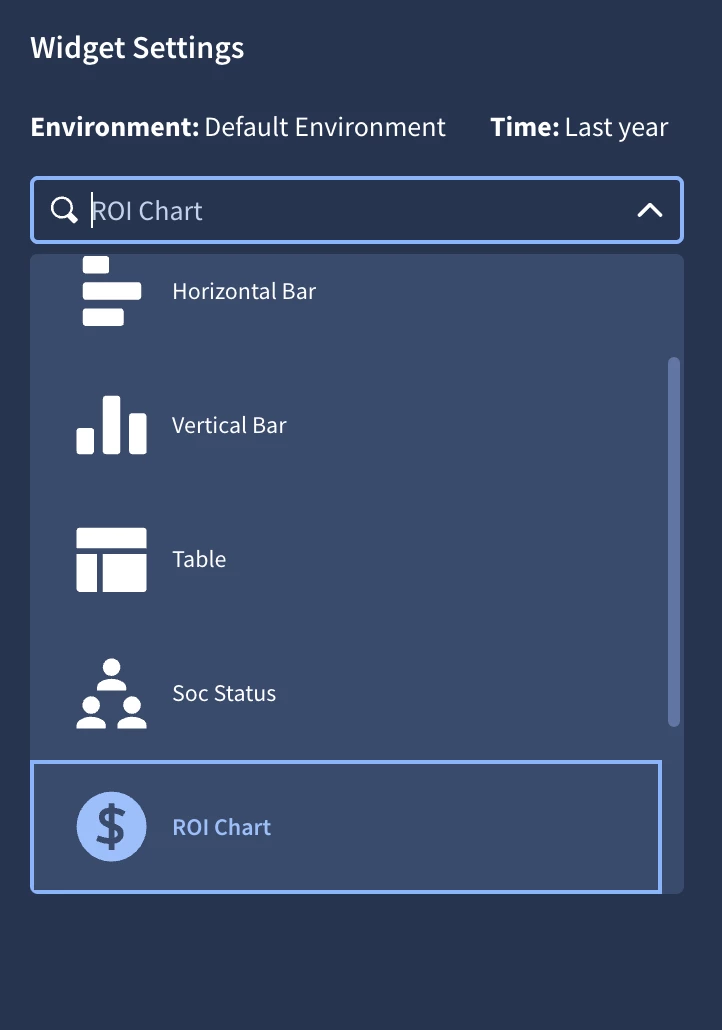
Once you have this defined you will be able to go into your SOAR dashboard and use the ROI Chart.

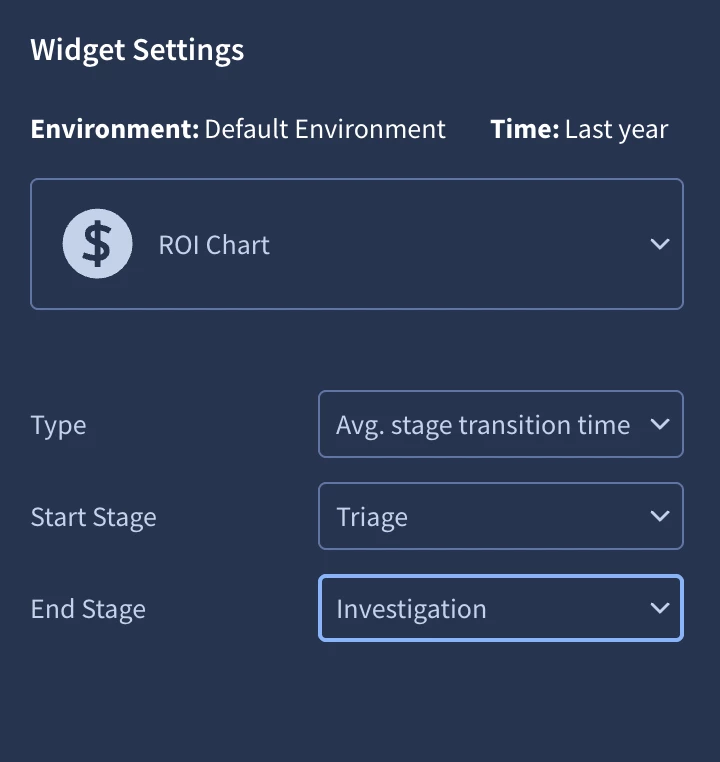
with the type = Avg. stage transition time. Then select which two stages you would like to track, I selected from triage to Investigation.


2 replies

ddiserens
Staff
Forum|alt.badge.img+6
  • Staff
  • Answer
  • May 6, 2025

@d_patel_dj 

The easiest way to track this would be to implement stage changes. 

Every alert that comes in will begin in the triage stage. As you progress in the playbook with automated and manual actions, use the "Change Case Stage" Action to move the case to another stage.

Case Stages are customizable under SOAR Settings -> Case Data -> Case Stages

Once you have this defined you will be able to go into your SOAR dashboard and use the ROI Chart.

with the type = Avg. stage transition time. Then select which two stages you would like to track, I selected from triage to Investigation.


d_patel_dj
Forum|alt.badge.img+3
  • Author
  • Bronze 1
  • May 7, 2025

Thanks for this @ddiserens  - will try this way 🙂