Solved

Unable to view quick action widget to add in default case view. Please let me know how can I configure it and trigger a playbkook from case

  • February 17, 2026
  • 3 replies
  • 54 views

nikhilgauhri
Forum|alt.badge.img

Unable to view quick action widget to add in default case view. Please let me know  how can I configure it and trigger a playbkook from case 

Best answer by cmorris

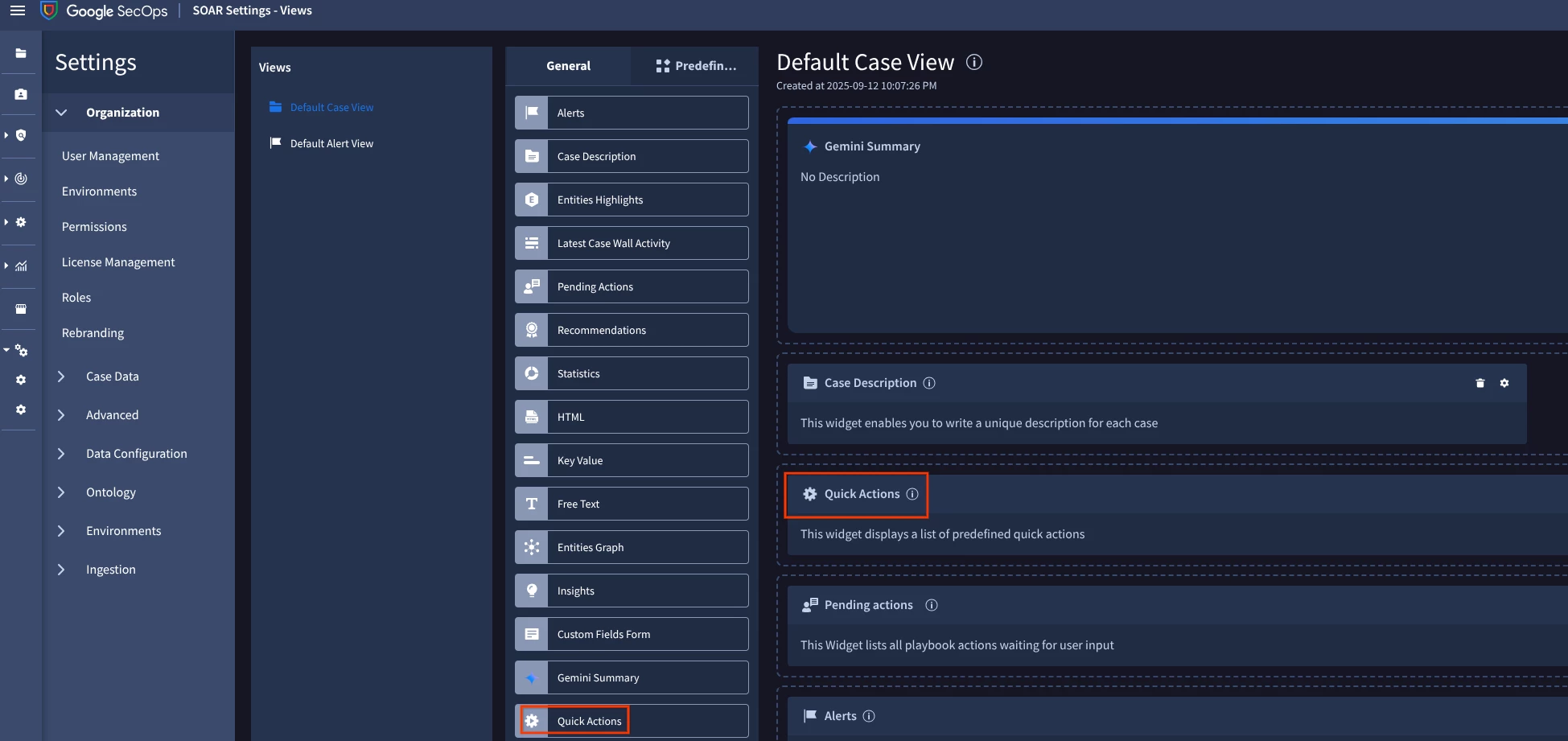
Go to SOAR Settings > Case Data > Views. From the Default Case View, select the General tab and drag the quick action widget to the view:
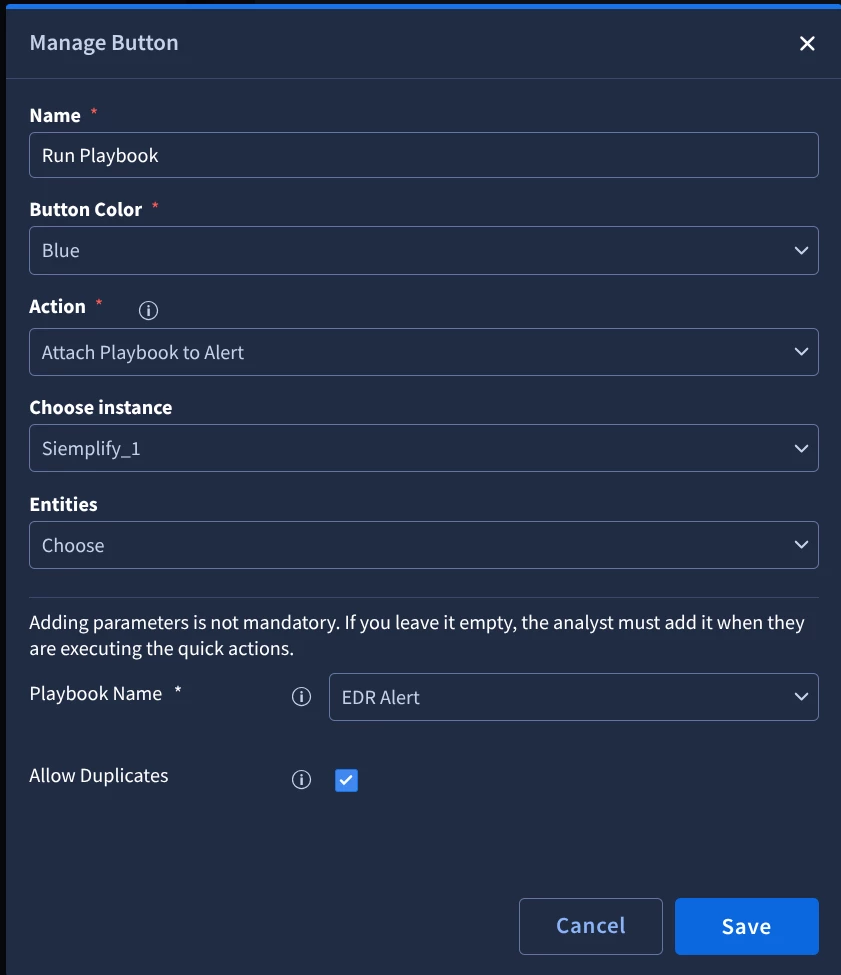
You can then click the Gear icon to configure the widget like so:
 

3 replies

cmorris
Staff
Forum|alt.badge.img+13
  • Staff
  • Answer
  • February 17, 2026

Go to SOAR Settings > Case Data > Views. From the Default Case View, select the General tab and drag the quick action widget to the view:

You can then click the Gear icon to configure the widget like so:



Ryant
Forum|alt.badge.img
  • New Member
  • April 30, 2026

Why am I unable to select any of my playbooks that are configured to my Default Environment in this quick action above?


cmorris
Staff
Forum|alt.badge.img+13
  • Staff
  • April 30, 2026


Why am I unable to select any of my playbooks that are configured to my Default Environment in this quick action above?

Are the playbooks all enabled and for the integration instance you are choosing in the ‘Choose Instance’ dropdown, is it either a shared instance or an configured for the default environment vs some other environment?