Hey everyone,
Google SecOps is introducing Advanced Filtering to its native dashboard platform. Note that this feature is currently in Private Preview. Since it fundamentally changes how we can build and interact with dashboards, I wanted to share a quick breakdown of how it works, how to set it up, and a few "gotchas" to watch out for.
What is it?
Unlike basic filters that are strictly tied to specific fields, advanced filters operate as query variables, or tokens. This allows us to inject dynamic values, complex regular expressions, or boolean logic directly into our YARA-L queries at runtime.
Here is what makes it stand out:
-
Dynamic Dropdowns: You can populate your filter choices dynamically using the results of a separate YARA-L query, ensuring users always select from up-to-date data.
-
Flexible Formatting: You can define custom Prefixes, Suffixes, and Delimiters (like
/for regex or,for IN clauses) to format values before they hit the query. -
Multi-Select: It allows users to select multiple values for a single token, which are then joined by your defined separator.
How to Configure Advanced Filters
Setting these up involves defining the filter in the dashboard and then dropping the token into your chart queries.
Step 1: Create the Filter
-
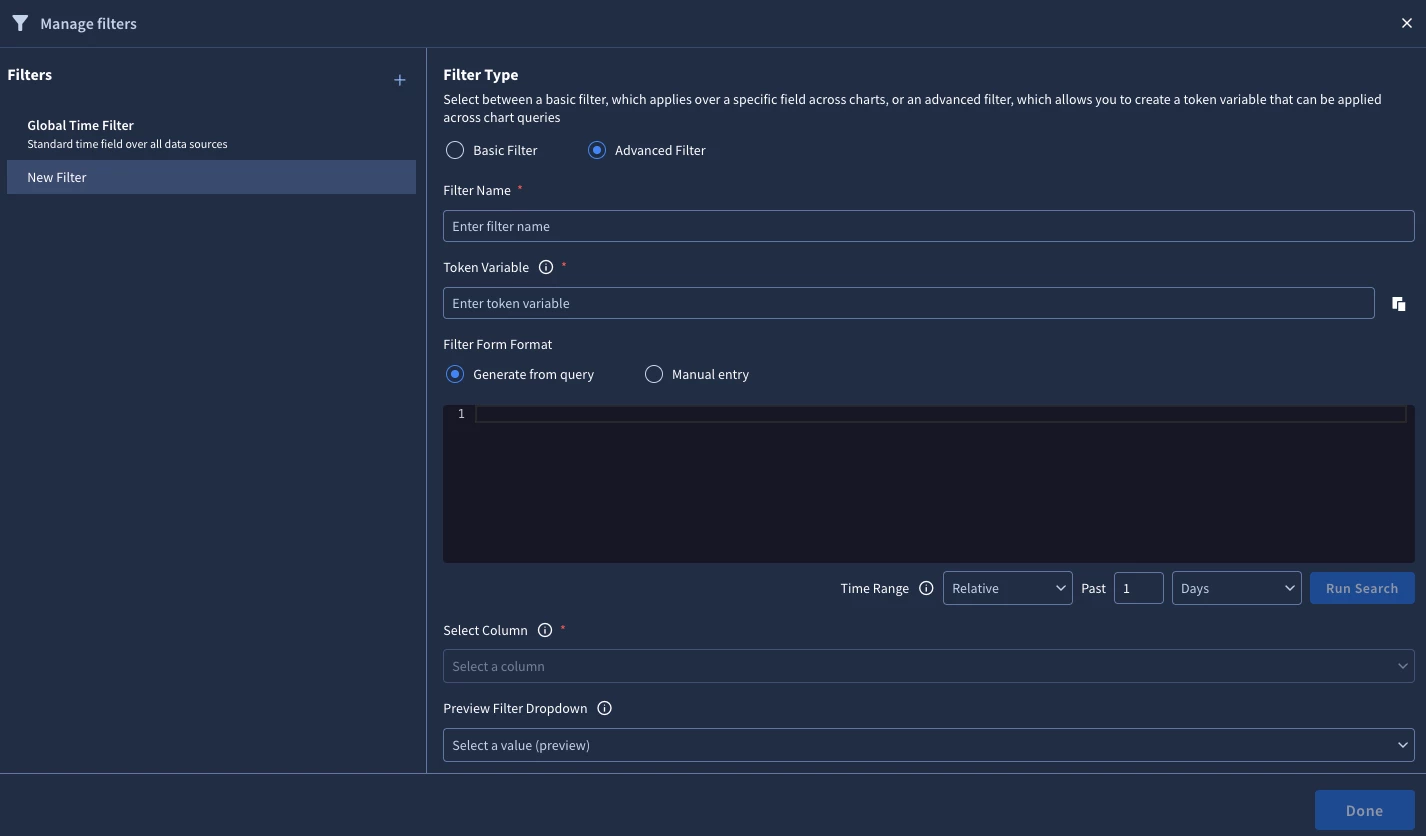
Open the Manage Filters dialog in your dashboard.
-
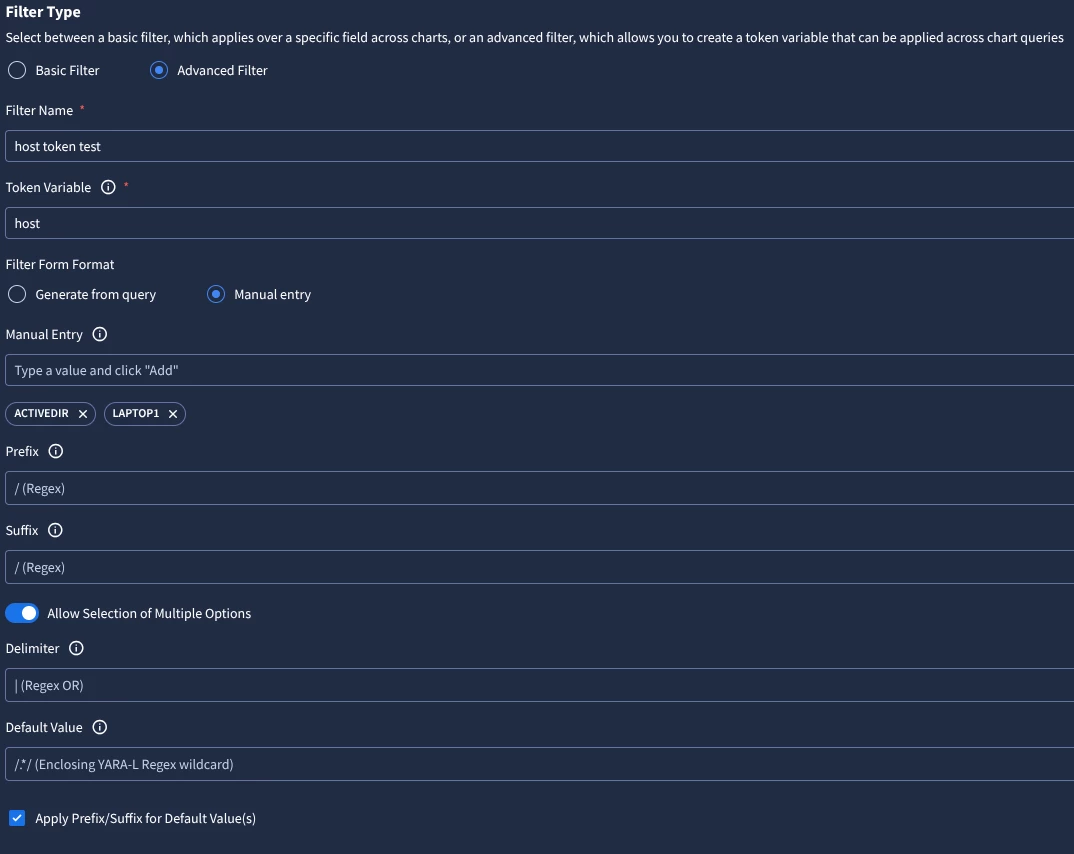
Select Advanced Filter as the Filter Type.
-
Identity: Enter a Filter Name (this is the label users will see) and a Token Variable (e.g.,
token). -
Value Source: Choose between Manual Entry (a static list) or Generate from Query (using dynamic YARA-L results).
-
Formatting: Set an optional Prefix and Suffix (e.g.,
^and$) if you need to wrap values for specific logic like regex. -
Interactions: Toggle "Allow Selection of Multiple Options" and define your Delimiter (e.g.,
|for regex OR logic).
Step 2: Insert the Token in Your Queries As a dashboard creator, you must manually insert the token into your chart's YARA-L query.
-
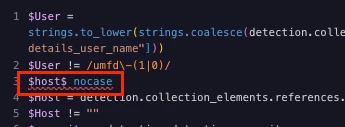
Wrap the token variable in
$symbols. -
Example:
principal.hostname = $hostname$orre.regex(target.ip, $ip_regex$). -
Note: The UI will give you a yellow warning banner if a query uses an undefined token, treating it as a literal string.
Security & Access
You don't need to configure new permissions for this; it leverages existing RBAC. The queries that populate the dynamic dropdowns enforce Data RBAC, ensuring users only see values (like specific IPs) that they are authorized to access.
⚠️ The Golden Rule: Default Values are Critical
Advanced Filters operate exclusively via string substitution. The system does not interpret the logic for you; it simply performs a "find and replace" of your $token$ with the user's selected value before compiling the query.
Because the system won't automatically ignore a token if a user leaves the filter blank, you must define Default Values to maintain a valid query structure for initial loads and Scheduled Reports. The responsibility for ensuring the final substituted query is syntactically correct lies entirely with the user.
Here are a few handy default configurations to prevent your dashboards from breaking on load:
-
The Regex Catch-All: If your query uses
principal.hostname = $host$, setting your default value to.*/turns it into a catch-all regex that successfully returns all results.
Remember: The system does not perform automatic escaping for special characters. Always double-check that your Prefix, Suffix, and Separators align perfectly with YARA-L syntax.