Question

Using Data Tables in UDM Search and Yara-L Rule

  • July 22, 2026
  • 3 replies
  • 79 views

lifeofmorpheus
Forum|alt.badge.img+1

I’m trying to write a rule that checks the value of the “network.dns.questions.name” field, but will only trigger if the value is NOT in a data table using regex matching instead of a static value.

Assuming I have a data table named dns_tunnel_list with below values:

domain_names  <« column header
example.invalid
does-not-exist.example.com
googleapis.com
metadata.google.internal


I cannot seem to get right a UDM search query that will ignore values from the above table with a query like below, for example:
 

metadata.log_type   = "GCP_DNS"
metadata.event_type = "NETWORK_DNS"

not network.dns.questions.name in regex %dns_tunnel_list.domain_names


Similarly, for a rule such as below:

rule LOG_SECOPS_005_dns_newly_seen_domain_v2 {

meta:
(snip)
version = "1.0"

events:
$dns.metadata.log_type = "GCP_DNS"
$dns.metadata.event_type = "NETWORK_DNS"

$querying_ip = $dns.principal.ip
$query_name = $dns.network.dns.questions.name

not $query_name in regex %dns_tunnel_list.domain_names


match:
$querying_ip over 1h


condition:

$dns

}


Please, can I get some help.


thanks.

3 replies

whathehack81
Forum|alt.badge.img+9

The exclusion can be performed directly against the UDM field:

 
metadata.log_type = "GCP_DNS"
metadata.event_type = "NETWORK_DNS"
network.dns.questions.name != ""
not (
network.dns.questions.name in regex
%dns_tunnel_list.domain_names
)

For the detection rule:

 
rule LOG_SECOPS_005_dns_newly_seen_domain_v2 {
meta:
version = "1.0"

events:
$dns.metadata.log_type = "GCP_DNS"
$dns.metadata.event_type = "NETWORK_DNS"

$dns.network.dns.questions.name != ""

$querying_ip = $dns.principal.ip
$query_name = $dns.network.dns.questions.name

not (
$dns.network.dns.questions.name in regex
%dns_tunnel_list.domain_names
)

match:
$querying_ip over 1h

condition:
$dns
}

Make sure dns_tunnel_list.domain_names is an unmapped regex-type column. The values should also be valid regex expressions. For exact domain matching, escape the dots and anchor the expressions:

 
^example\.invalid$
^does-not-exist\.example\.com$
^googleapis\.com$
^metadata\.google\.internal$

To exclude both a parent domain and its subdomains, use:

 
(^|\.)googleapis\.com$

Using an unescaped value such as googleapis.com makes . a regex wildcard and, without anchors, may also match unintended substrings.

If only exact domain names are required, keep the column as String and remove the regex operator:

 
not (
$dns.network.dns.questions.name in
%dns_tunnel_list.domain_names
)

One final behavior to be aware of: network.dns.questions.name is repeated, and YARA-L evaluates repeated values through implicit unnesting. An event containing several DNS questions can therefore match when at least one question is outside the table.


lifeofmorpheus
Forum|alt.badge.img+1

@whathehack81 thanks for your help on this.  However, there is possibility I’m still not getting something right.

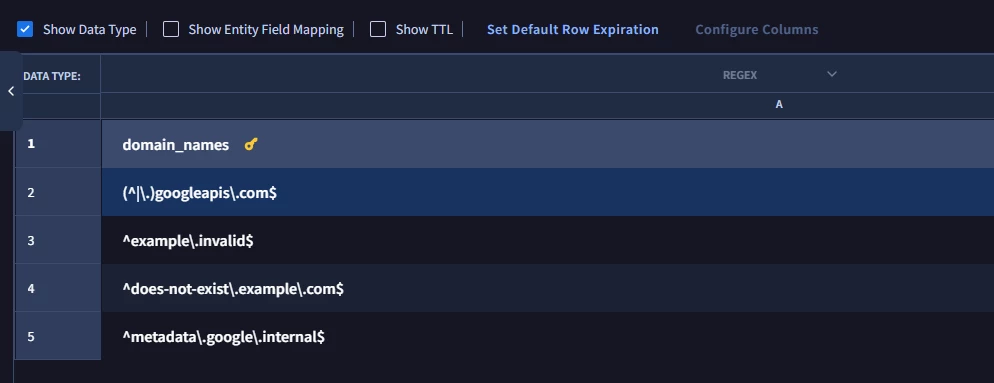
Here’s my data table rows:

domain_names
(^|\.)googleapis\.com$
^example\.invalid$
^does-not-exist\.example\.com$
^metadata\.google\.internal$


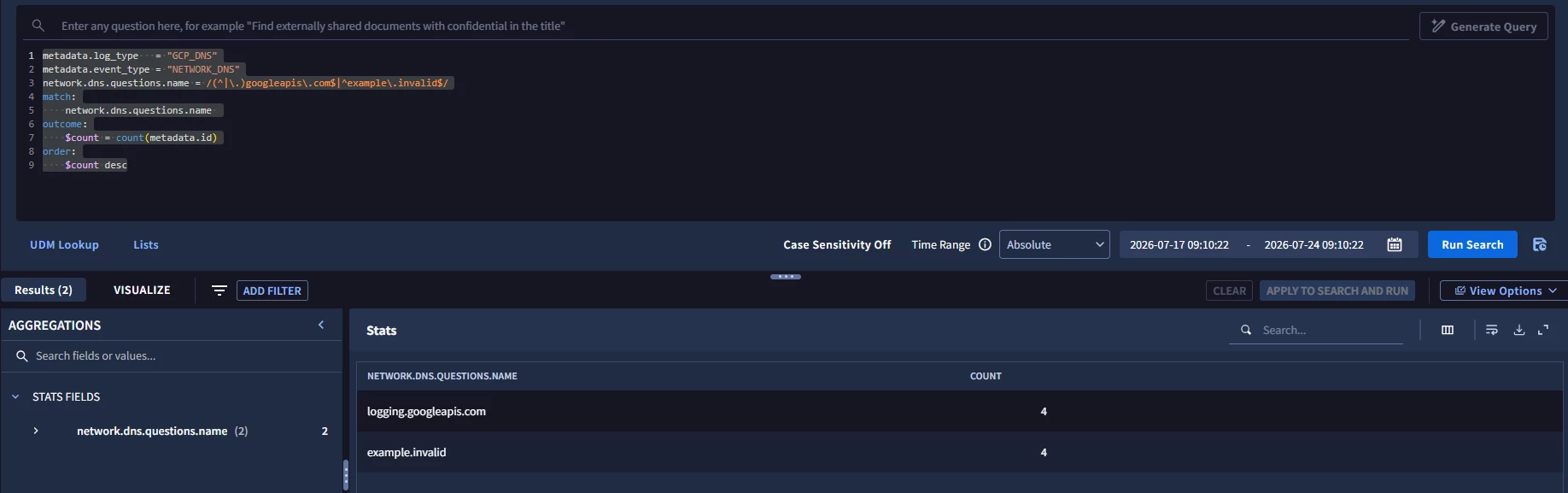
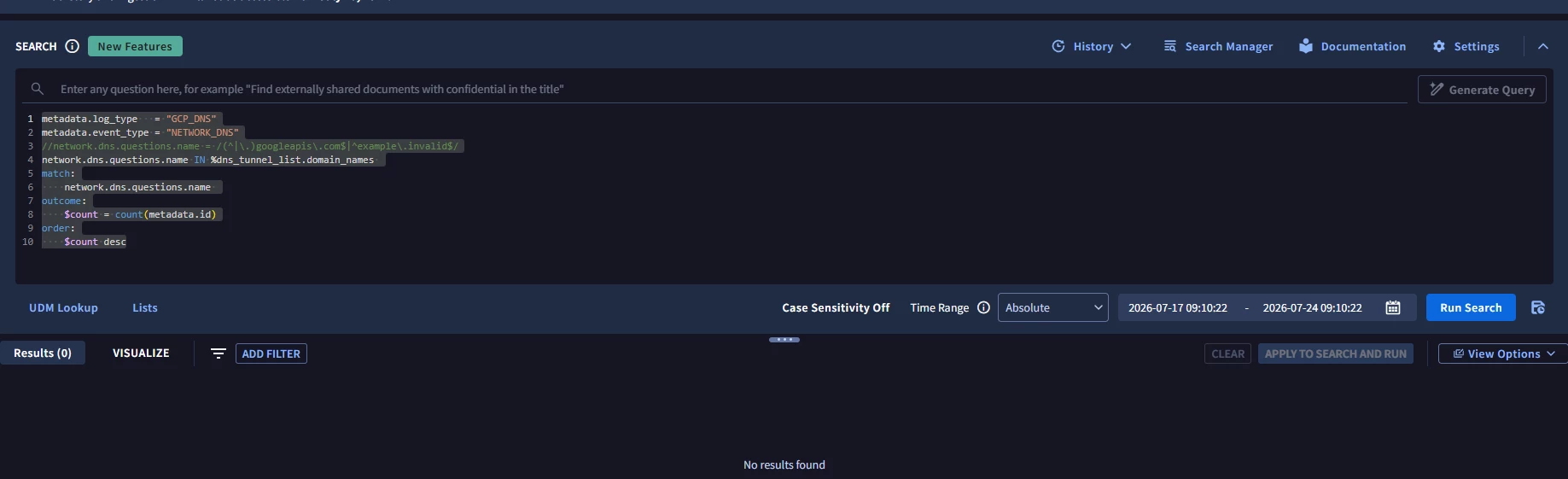
Therefore, If I were to run a UDM query searching for messages where the “network.dns.questions.name” has any of these values, I’d expect results back, but that’s not the case.


For example, running below search:

metadata.log_type   = "GCP_DNS"
metadata.event_type = "NETWORK_DNS"
network.dns.questions.name = /(^|\.)googleapis\.com$|^example\.invalid$/
match:
network.dns.questions.name
outcome:
$count = count(metadata.id)
order:
$count desc

Returns:


However, running the same query against the data table like below

metadata.log_type   = "GCP_DNS"
metadata.event_type = "NETWORK_DNS"
network.dns.questions.name IN %dns_tunnel_list.domain_names
match:
network.dns.questions.name
outcome:
$count = count(metadata.id)
order:
$count desc


Returns:


Also, you mentioned “Make sure dns_tunnel_list.domain_names is an unmapped regex-type column.”  I did not quite follow what this is and how to confirm.


Thanks for your help.


whathehack81
Forum|alt.badge.img+9

Your direct regex search confirms that network.dns.questions.name and the patterns themselves are working.

The remaining issue is most likely the data type assigned to the domain_names column.

In your screenshot, Show Data Types is not enabled. Turn that on and confirm that domain_names is shown as REGEX, not STRING.

“Unmapped” simply means the column is not mapped to an entity field. It should still be explicitly configured with the REGEX data type.

Once you confirm, I would make the regex operation explicit

metadata.log_type = "GCP_DNS"

metadata.event_type = "NETWORK_DNS"

network.dns.questions.name in regex %dns_tunnel_list.domain_names


match:

  network.dns.questions.name


outcome:

  $count = count(metadata.id)


order:

  $count desc

If domain_names shows as STRING, the regex values are currently being compared as literal strings. You will need to recreate the table with that column configured as REGEX, because the column configuration cannot be changed after the table is saved.

Your table entries should remain without /.../ delimiters, as you currently have them.

The regex keyword is technically optional when the column is correctly typed as REGEX, but including it removes ambiguity and makes the intended comparison clear.