Solved

We Can't access Alert SLA's

  • March 19, 2025
  • 9 replies
  • 25 views

Forum|alt.badge.img+3

Hi @JeremyLand ,
Looks like we can't access alert's SLAs in playbooks,
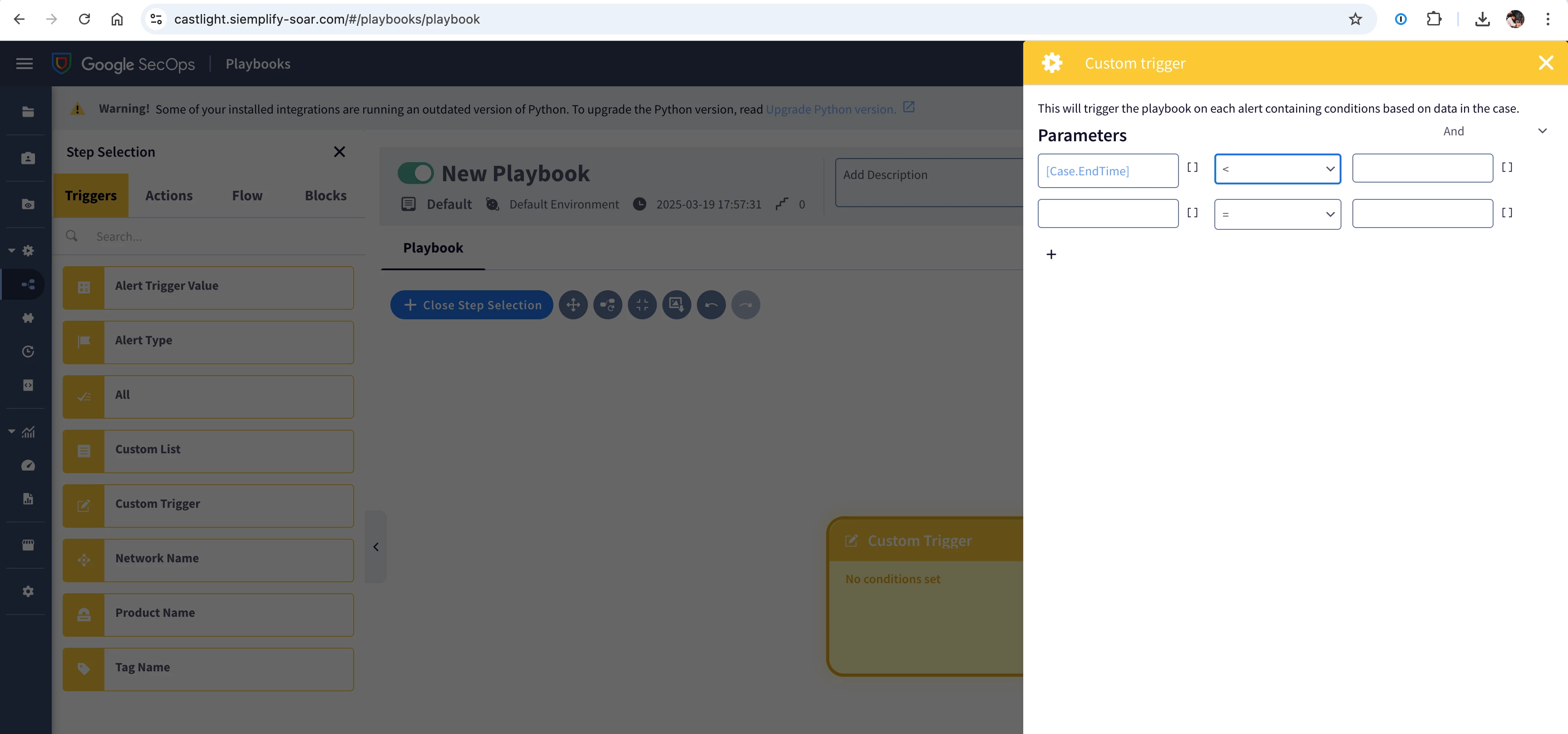
 

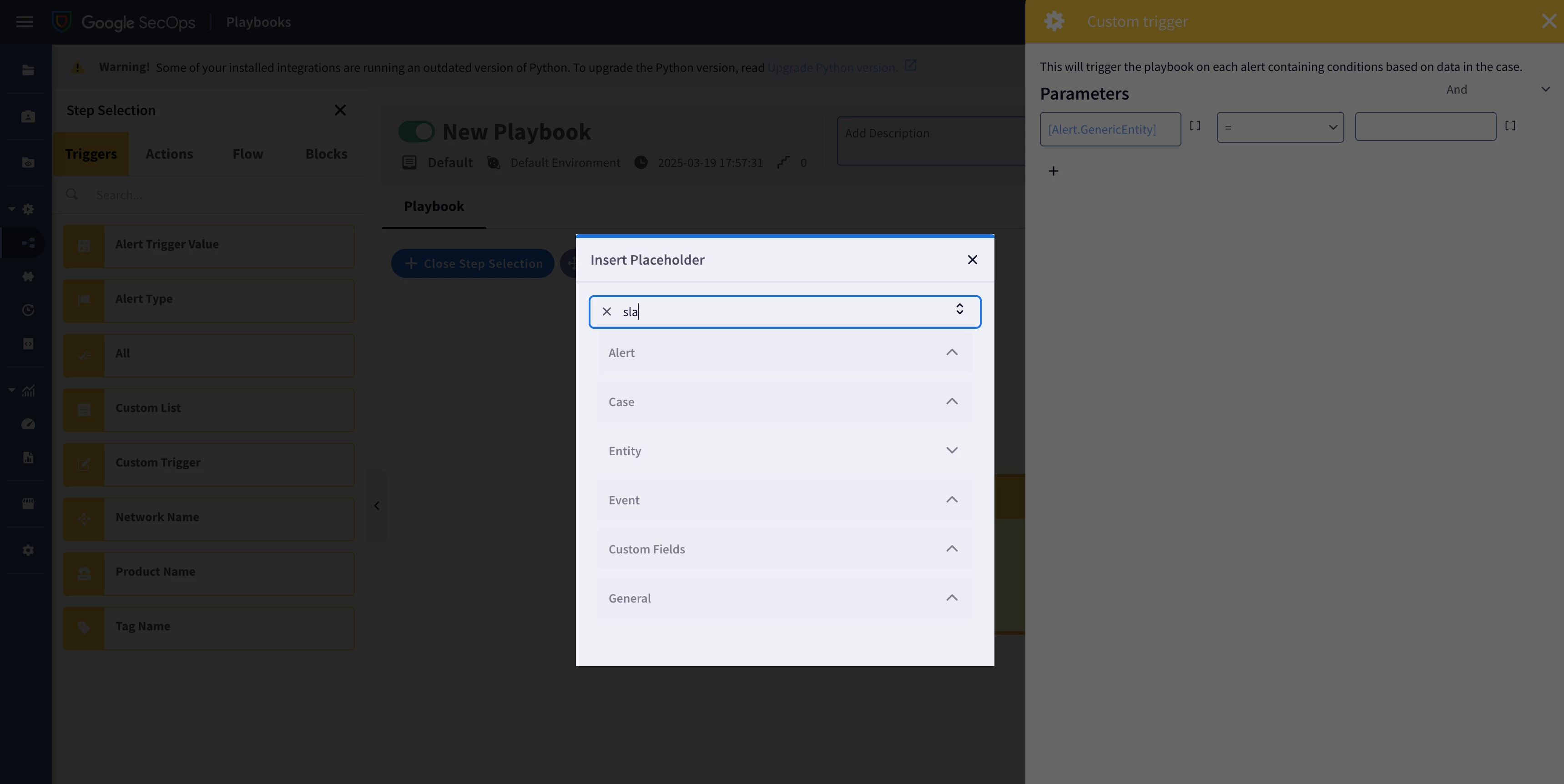
Like in this case i want to create a playbook to send a warning message to the analyst if the sla is less than 30min. i want custom trigger. you guys have other ideas how it can be done?

Best answer by cmorris

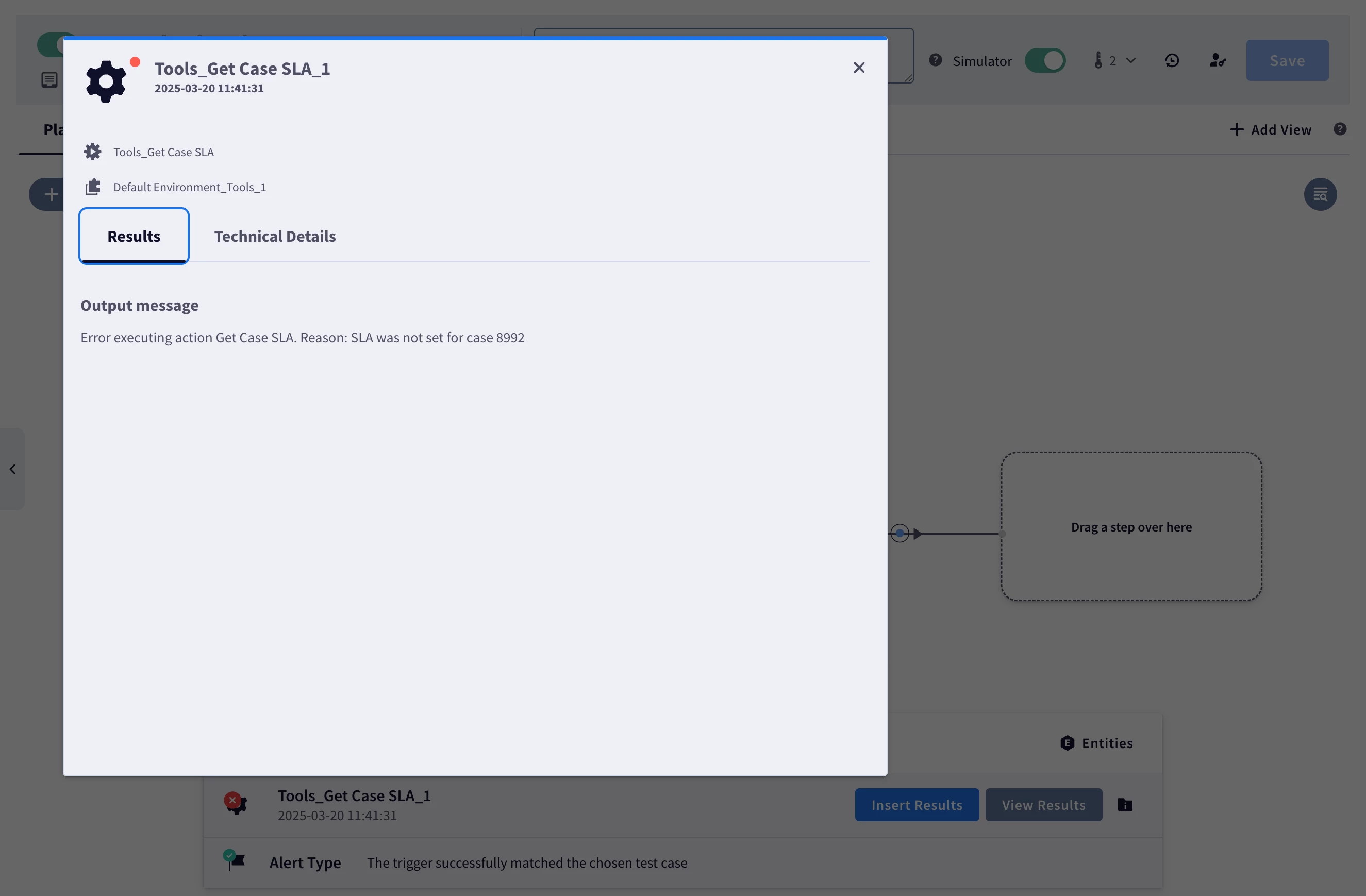
So as you can see i had injested the #8985 alert as test case but why is it considering #8992? what coud be the issue?


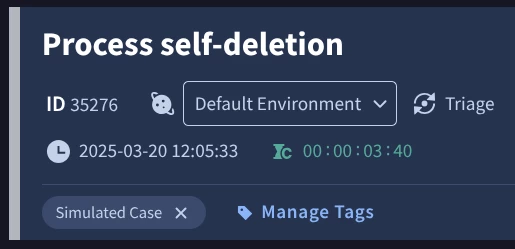
I believe this is working as intended. When you test with the simulator, a simulated case is created. For example, when I tested, I had a different case ID and pulling that case ID up, I can see the label "Simulated Case".

9 replies

cmorris
Staff
Forum|alt.badge.img+10
  • Staff
  • March 19, 2025

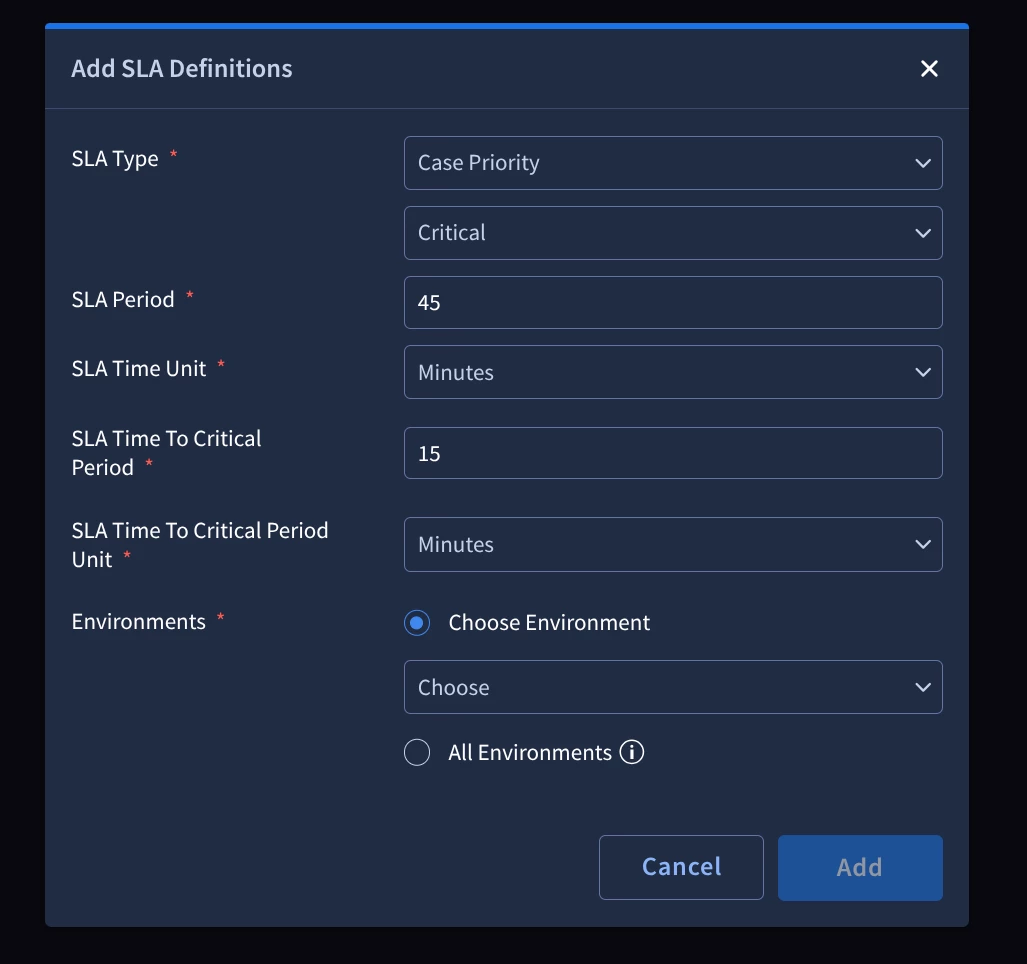
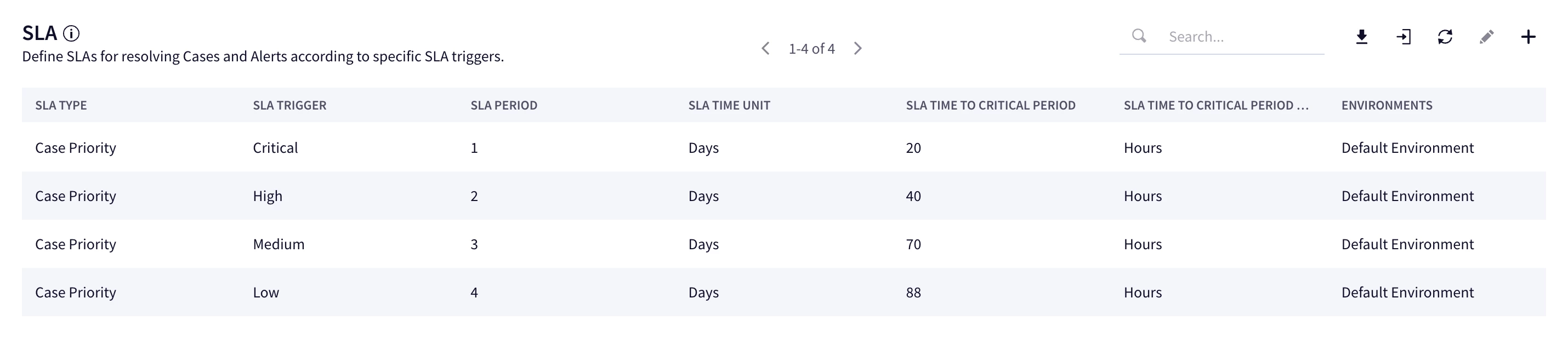
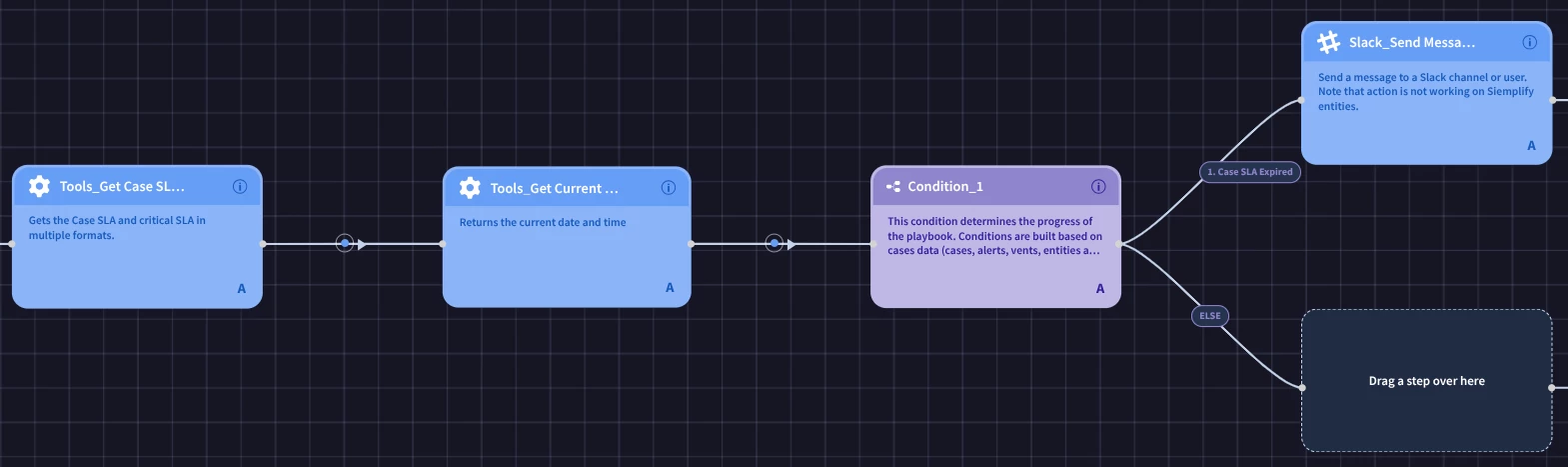
You can set the SLA in the SOAR settings and could configure based on case priority, alert, etc. If you're focused on the first alert in the case, case priority may be the best option here. After that, you can choose a priority option and specify the SLA time for the different levels. From there, you can create a SLA playbook block and use the Get Case SLA notification and different notification actions in the event SLA is exceeded.


Forum|alt.badge.img+3
  • Author
  • Bronze 1
  • March 19, 2025

Can you share me screenshot of you using these SLA in a playbook creation step? which parameter should be pass to access the sla.


cmorris
Staff
Forum|alt.badge.img+10
  • Staff
  • March 19, 2025

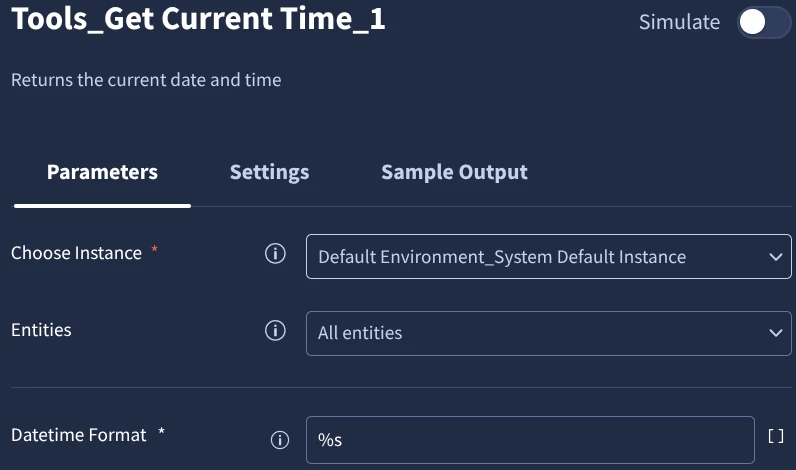
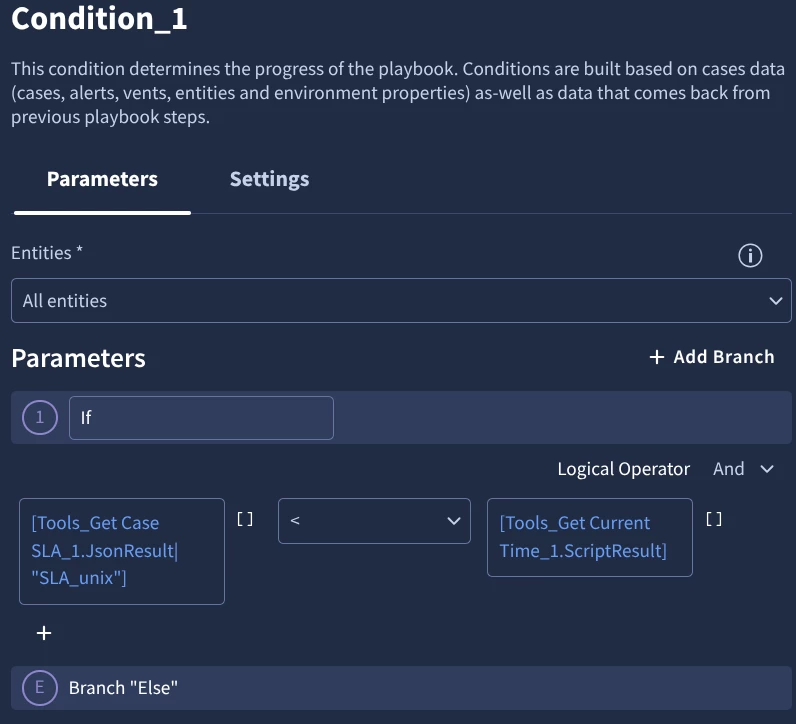
Try the Get Case SLA action and then you could use Get Current Time and compare them with a condition.

Something like this as a start:

Get Current Time returning epoch:

Comparison with condition:


Forum|alt.badge.img+3
  • Author
  • Bronze 1
  • March 20, 2025

Now i get what i was doing wrong. when i ingest alert as testcase the SLA was not showing up as its the testcase and i was not able to retrieve any info from get_ALERT_SLA action. This is what i was struck with


cmorris
Staff
Forum|alt.badge.img+10
  • Staff
  • March 20, 2025

Now i get what i was doing wrong. when i ingest alert as testcase the SLA was not showing up as its the testcase and i was not able to retrieve any info from get_ALERT_SLA action. This is what i was struck with


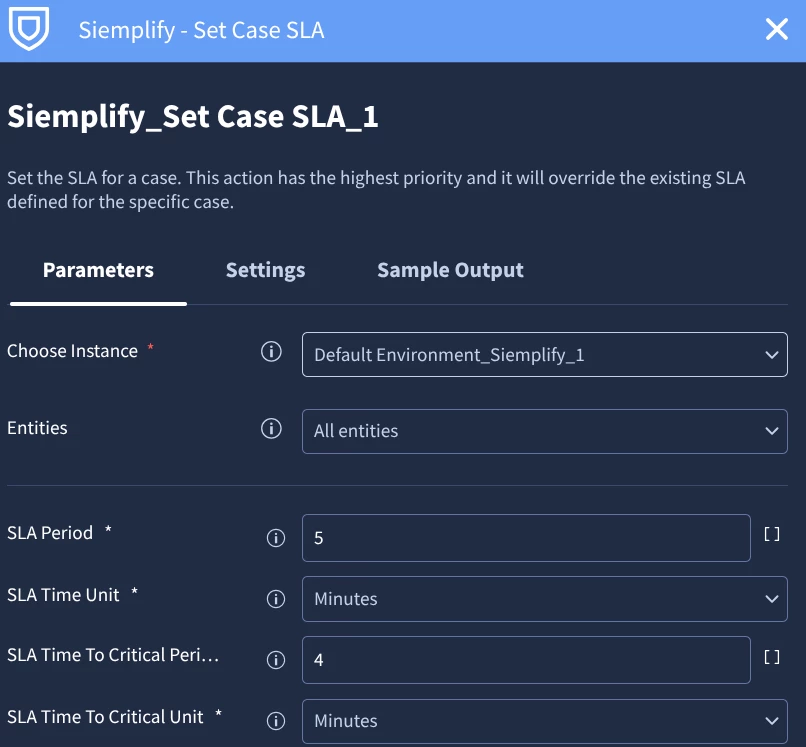
I used the Set Case SLA action just to make sure I had a SLA for my test case.


Forum|alt.badge.img+3
  • Author
  • Bronze 1
  • March 20, 2025

So as you can see i had injested the #8985 alert as test case but why is it considering #8992? what coud be the issue?


cmorris
Staff
Forum|alt.badge.img+10
  • Staff
  • Answer
  • March 20, 2025

So as you can see i had injested the #8985 alert as test case but why is it considering #8992? what coud be the issue?


I believe this is working as intended. When you test with the simulator, a simulated case is created. For example, when I tested, I had a different case ID and pulling that case ID up, I can see the label "Simulated Case".


Forum|alt.badge.img+3
  • Author
  • Bronze 1
  • March 20, 2025

SLA's are not getting applied to Simulated cases in my environment


cmorris
Staff
Forum|alt.badge.img+10
  • Staff
  • March 20, 2025

SLA's are not getting applied to Simulated cases in my environment


For testing with simulated cases, can you add the Set Case SLA action prior to the Get Case SLA?