Solved

RECAPTCHA KEYS MIGRATION

  • November 18, 2025
  • 3 replies
  • 101 views

thevirtualmadnesshouse
Forum|alt.badge.img+1

Dear sirs:
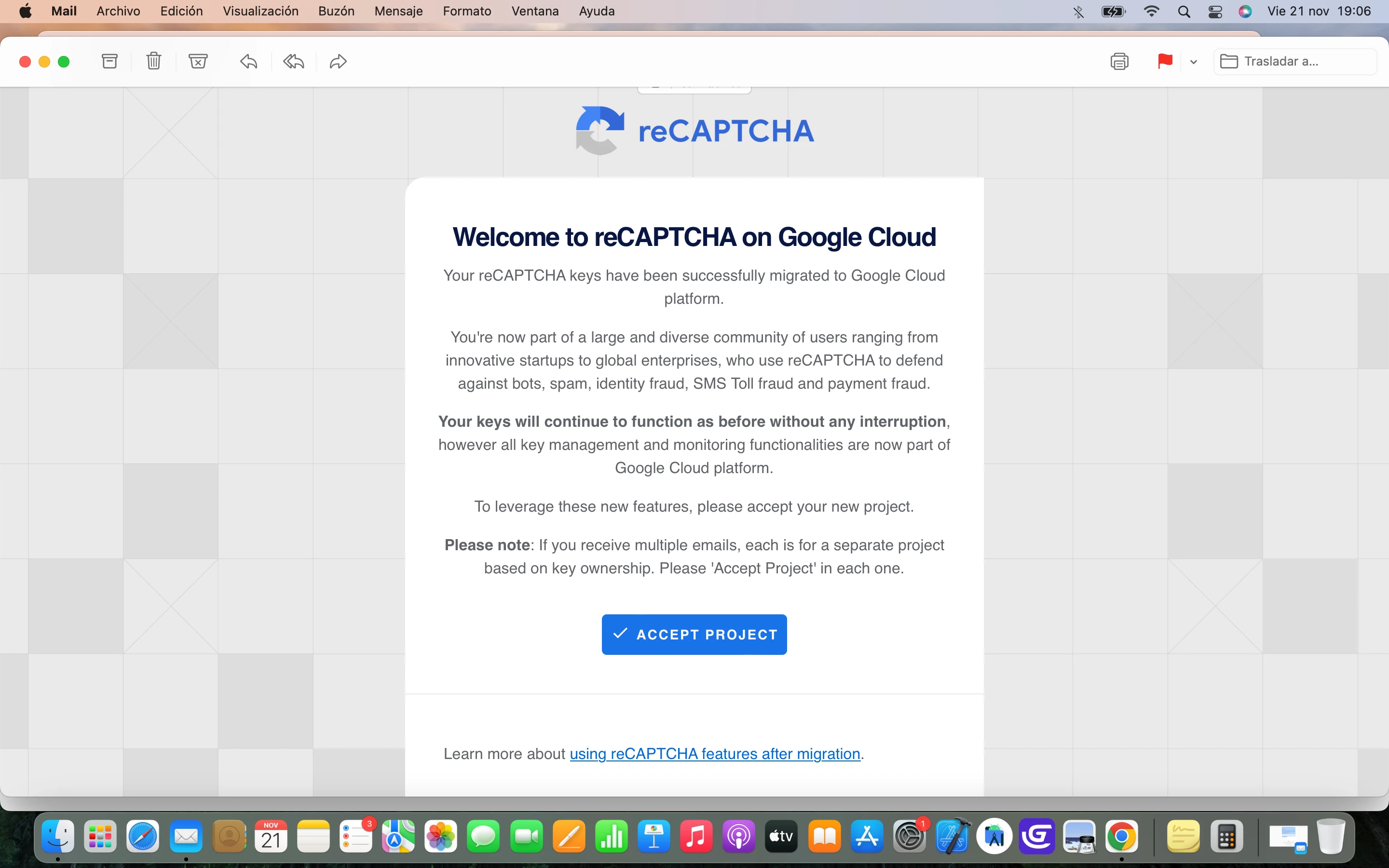
Some months ago I received an email from you telling me that my Google recaptcha keys were eligible for migration in a Google Cloud project.
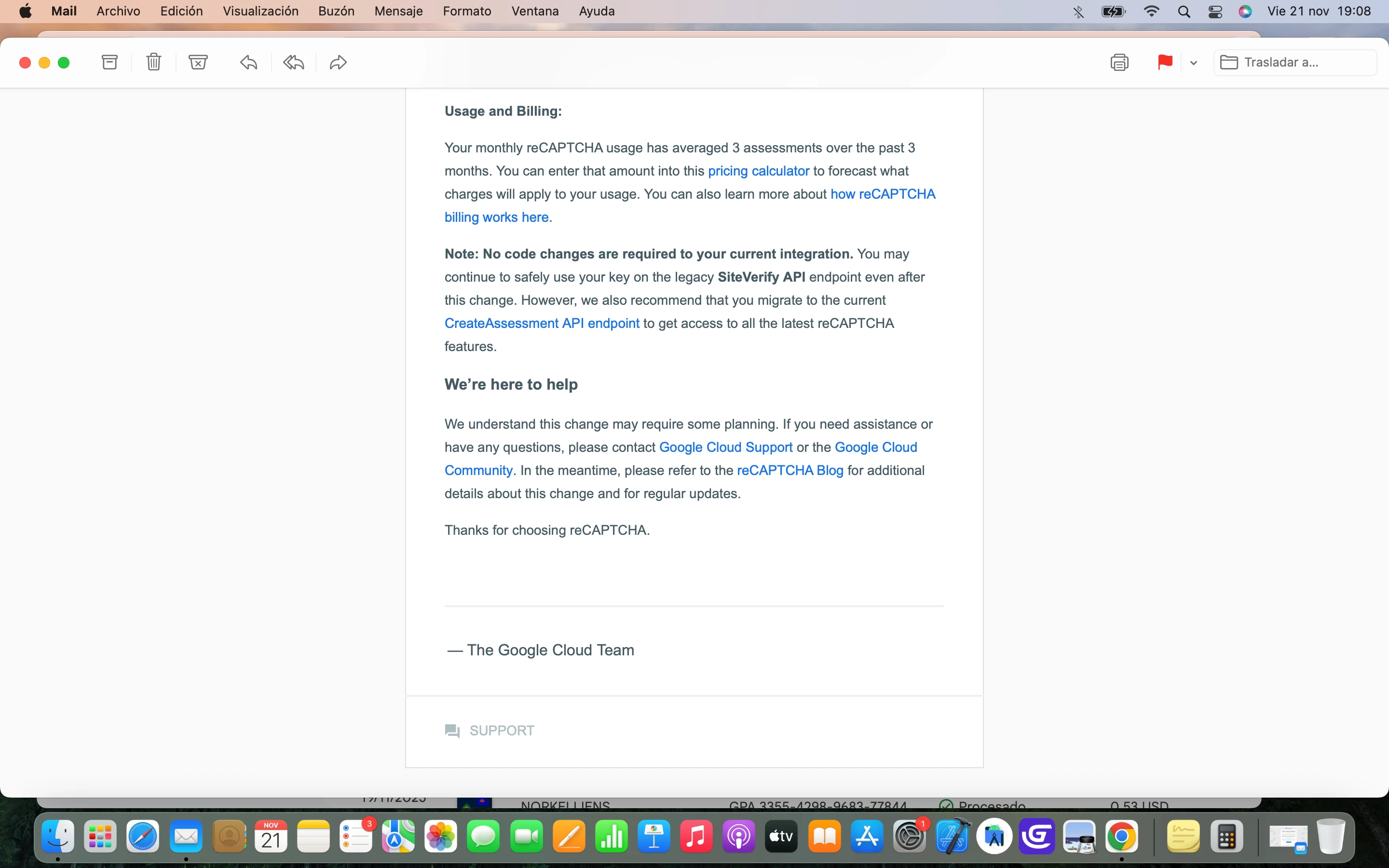
You also tell me that my average recaptcha monthly use is of 3 evaluations in three months.
I suppose that this has a cost so in that case I wouldn't be interested in using recaptcha in my Wordpress anymore.
What should I do to quit using recaptcha aside deleting it from my site?.
Thank you very much in advance.
Greetings,
Eva

Best answer by emilymb

Hi ​@thevirtualmadnesshouse ,

Based on the email, you are sending about 3 assessments per month. This is free. You only have to pay if you send more than 10,000 assessments per month, for more info see Billing information.

Also, you will never be charged unless you add a billing account. If you do not have a billing account and exceed the free tier, SiteVerify requests will "fail-open" (let users through with no bot protection) without charging you , please see Billing and enforcement.

The second email means your keys have already been migrated. I suggest you accept the project invitation. This will let you monitor and modify your keys in Google Cloud. If you accept the project, you can delete your key there if you want to.

You can also view the legacy Admin Console here: google.com/recaptcha/admin.

Thanks,

Emily

3 replies

emilymb
Staff
Forum|alt.badge.img+3
  • Staff
  • November 19, 2025

Hi ​@thevirtualmadnesshouse - 

If you are currently sending 3 assessments per month, your reCAPTCHA usage will continue to be free. With reCAPTCHA Enterprise on Google Cloud, you receive 10,000 free assessments per month (see Billing Information).

You do not need to take any action, and your key will be auto-migrated to Cloud. You can also self-migrate using the migration tool. No changes are needed to your WordPress integration. For more information, see our reCAPTCHA migration overview

If you’d still like to delete your key, it can be removed in the settings page in the Admin Console. 

Let me know if you have any more questions!

Emily


thevirtualmadnesshouse
Forum|alt.badge.img+1

Hi ​@emilymb 

First of all , thank you very much for your attention and your answer.

I would like to comment you that I made a mistake with the assessments.

This is a snippet of the email from Google Cloud.

Do this situation still imply a charge?.

2º.- This is the last email I’ve received from Google Cloud.

Is it mandatory to accept the project?

What would be the consequences of accepting the project ?. Is it similar to a contract?.

Also you mention in your answer that if I want to delete my key I can do it in the Admin Console but I don’t have any right now that I know of because I haven’t accepted the project as I told you before.

I’m sorry for my ignorance about this subject but I don’t know very much about all this migration process.

Once again, thank you very much for your time and information.

Kind Regards,

Eva


emilymb
Staff
Forum|alt.badge.img+3
  • Staff
  • Answer
  • November 24, 2025

Hi ​@thevirtualmadnesshouse ,

Based on the email, you are sending about 3 assessments per month. This is free. You only have to pay if you send more than 10,000 assessments per month, for more info see Billing information.

Also, you will never be charged unless you add a billing account. If you do not have a billing account and exceed the free tier, SiteVerify requests will "fail-open" (let users through with no bot protection) without charging you , please see Billing and enforcement.

The second email means your keys have already been migrated. I suggest you accept the project invitation. This will let you monitor and modify your keys in Google Cloud. If you accept the project, you can delete your key there if you want to.

You can also view the legacy Admin Console here: google.com/recaptcha/admin.

Thanks,

Emily