




In our last blog, we introduced the EXTEND pipe and shared how EXTEND is used with SQL functions to create new columns in the result set. There is more that can be done with EXTEND, so this week I’m going to go a little deeper into EXTEND and provide some insight into some additional capabilities that may be of interest to you.
If you are just joining us today and would like to get up to speed quickly on using SQL pipes with Google Security Operations (SecOps), here are the previous blogs on other pipe operators:
Window Function Call Basics
The EXTEND pipe supports the use of window function calls. This provides a method of computing a value over a group of rows and then outputting that value in each of the rows. This is different from the AGGREGATE pipe operator where the result is based upon the rows that are part of the GROUP BY statement in the pipe.
To illustrate this, let’s take a look at a few examples. The query filters process launch events and generates a count using the AGGREGATE pipe.
FROM events
|> WHERE metadata.event_type = "PROCESS_LAUNCH"
|> AGGREGATE count(*) as count
This produces a single result. The AGGREGATE pipe contains the count function, but no GROUP BY clause, so we only get one column in the results which is the grand total of rows.
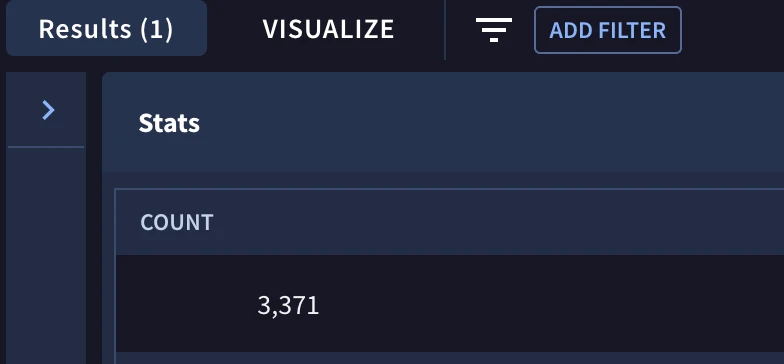
This is a valid query and depending on the use case, this may be perfect. However, there are times when we want that grand total while maintaining the columns and values that exist for each event. Using the EXTEND pipe, we can add a new column containing the grand total to the events. This is where the window function call comes in.
We are only returning one column from the event in the following query to keep it simple but you could add additional columns in the SELECT pipe too.
FROM events
|> WHERE metadata.event_type = "PROCESS_LAUNCH"
|> SELECT principal.hostname
|> EXTEND count(*) OVER () as count
Notice within the EXTEND pipe we have the OVER clause followed by open and closed parenthesis. This pipe will count a value, we are using star but this could be a field name, over a window and output that aggregated value in a new column named count. In this example, the window contained in the parentheses has nothing in it, so we will count the number of rows in the entire result set and write that to the column named count.
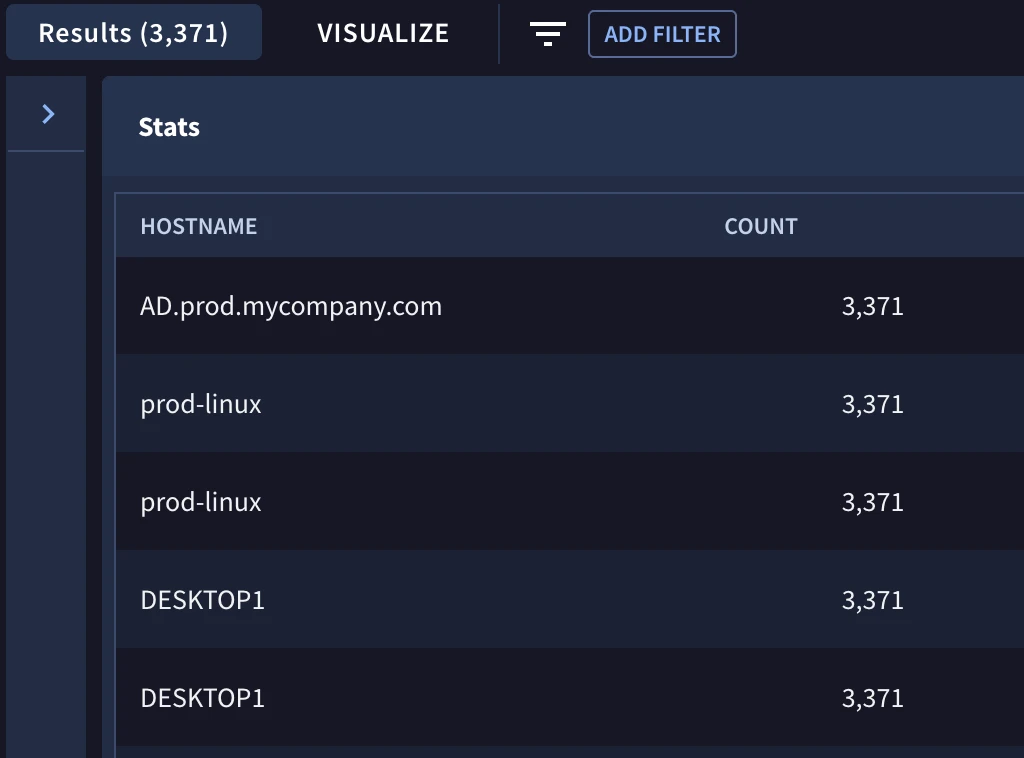
This results in all 3371 rows of events being returned with the event count displayed as a new column with that same value in each row.
This is a good start but we often want to partition the data. Going back to the AGGREGATE pipe, we do this with GROUP BY. We’ve covered this previously and it’s likely something you just do without thinking about it.
FROM events
|> WHERE metadata.event_type = "PROCESS_LAUNCH"
|> AGGREGATE count(*) as count GROUP BY principal.hostname
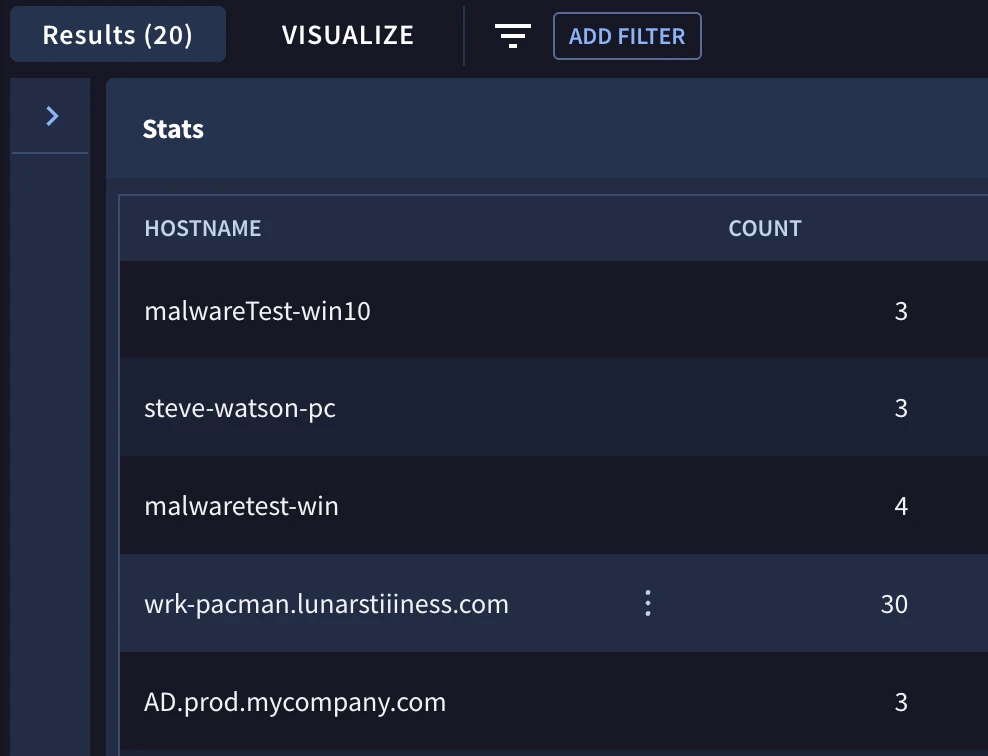
This results in 20 rows that each contain a hostname and its associated count.
Using the EXTEND pipe, we can add the keyword PARTITION BY to the window followed by the column name(s) that will segment the data for the aggregation function, count.
FROM events
|> WHERE metadata.event_type = "PROCESS_LAUNCH"
|> SELECT principal.hostname as hostname
|> EXTEND count(*) OVER (PARTITION BY hostname) as count
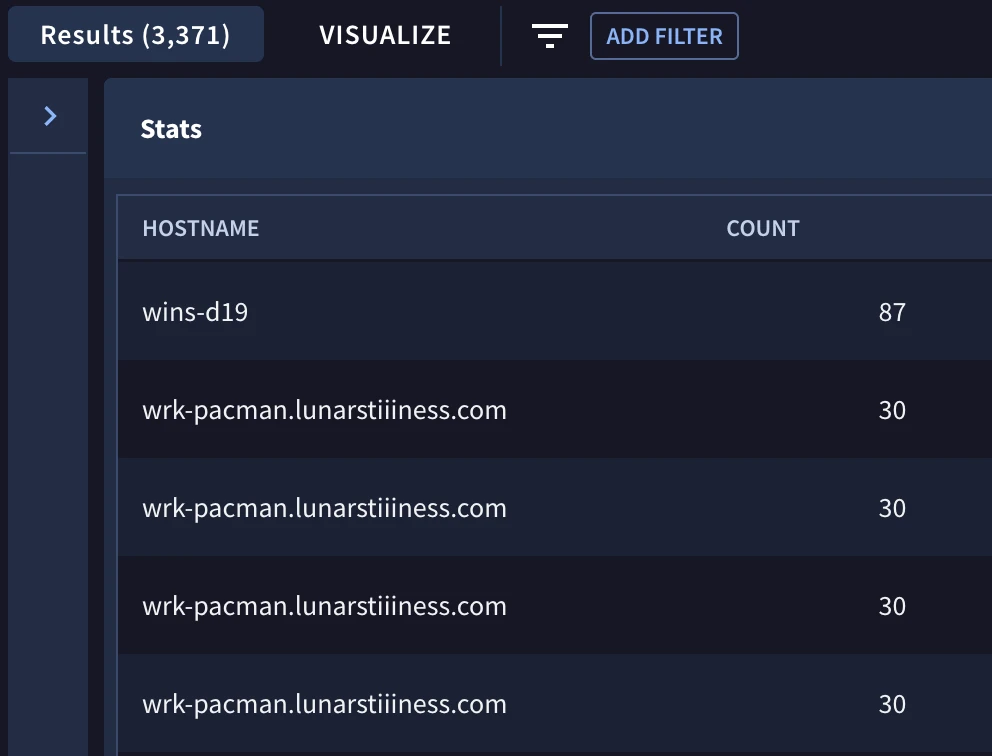
Notice that we continue to return the full result set of 3371 events but now each row contains what I will refer to as a subtotal based on the hostname. You can see that in the previous AGGREGATE pipe example, wrk-pacman.lunarstiiiness.com had 30 events associated with it. In this query we see the same host’s events 30 times, as well as the column named count with a value of 30.
It’s worth mentioning that window function calls can also be used in the SELECT pipe. Here is an equivalent query to the one we just reviewed.
FROM events
|> WHERE metadata.event_type = "PROCESS_LAUNCH"
|> SELECT principal.hostname, count(*) OVER (PARTITION BY principal.hostname) as count
We can collapse the column selection and the count by partition into a single SELECT pipe. However, I prefer doing it in two steps using the EXTEND pipe because it can be easier to troubleshoot as well as trace the flow through the query. There isn’t a right or wrong way to do it, you do have options!
Generating Grand Totals and Subtotals
We just looked at building a grand total and a subtotal using partition while maintaining the fidelity of the rows in the result set. Let’s expand this to a more practical example. Perhaps you have a set of network events and you would like to generate an output that contains the total bytes and count for the entire result set as well as the subtotal for each IP address pair while maintaining other columns for each event in the result set. Once you have these values in the same row, additional mathematical operations could be performed and leveraged in a hunt or displayed to a dashboard.
To do this, we will put a combination of pipe operators to work. In this example, we add the DROP and ORDER BY pipe operators, which we haven’t really covered yet, to the query. They are both very straightforward, and I have provided links for these pipes and will leave it to you to check them out if you would like.
FROM events
|> WHERE metadata.event_type = "NETWORK_CONNECTION" and
     metadata.vendor_name = "Zeek" and
     metadata.product_event_type = "conn"
|> SELECT timestamp_seconds(metadata.event_timestamp.seconds) as time,
     principal.ip[SAFE_OFFSET(0)] as principal_ip,
     target.ip[SAFE_OFFSET(0)] as target_ip,
     network.sent_bytes,
     network.received_bytes
|> EXTEND sent_bytes + received_bytes as total_bytes
|> EXTEND
     count(*) over (partition by principal_ip, target_ip) as sub_total_event_count,
     sum(total_bytes) over (partition by principal_ip, target_ip) as sub_total_bytes,
     count(*) over () as grand_total_event_count,
     sum(total_bytes) over () as grand_total_bytes
|> DROP sent_bytes, received_bytes
|> ORDER BY principal_ip, target_ip, time ASC
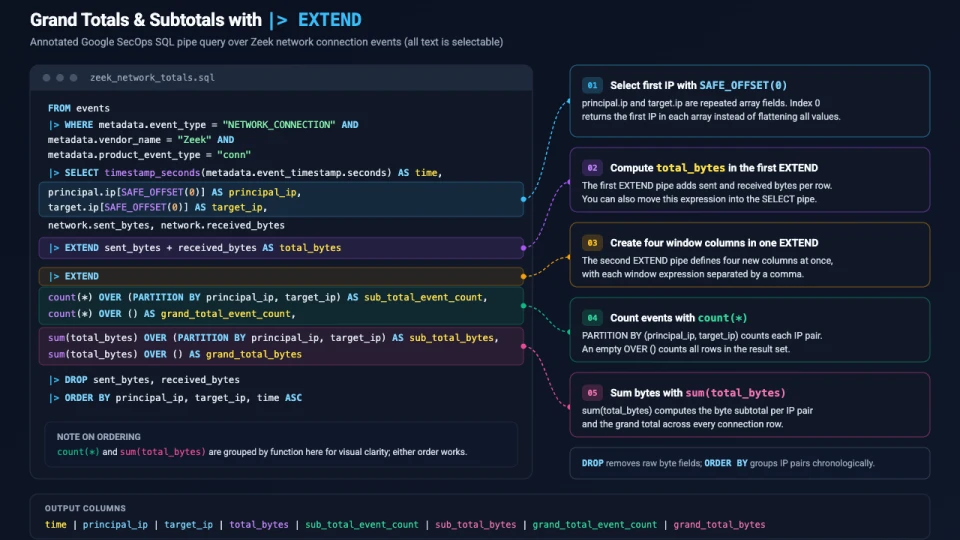
Rather than talking through the entire query, I will highlight a few items that you may be seeing for the first time:
- The use of SAFE_OFFSET(0) in the SELECT pipe is used to return the first IP in both the principal and target IP fields; these fields are repeated fields so we can either choose a specific value in the array or “flatten” the array using UNNEST before using it. We are choosing the first value in each one for this example.
- total_bytes is being calculated in the first EXTEND pipe but could be calculated in the SELECT pipe, if you prefer
- The second EXTEND pipe is creating four new columns; each expression is separated by a comma
- Calculating the grand total and subtotal of the events uses the aggregation function of count like the previous examples
- The total and subtotal for total_bytes uses the aggregation function of sum
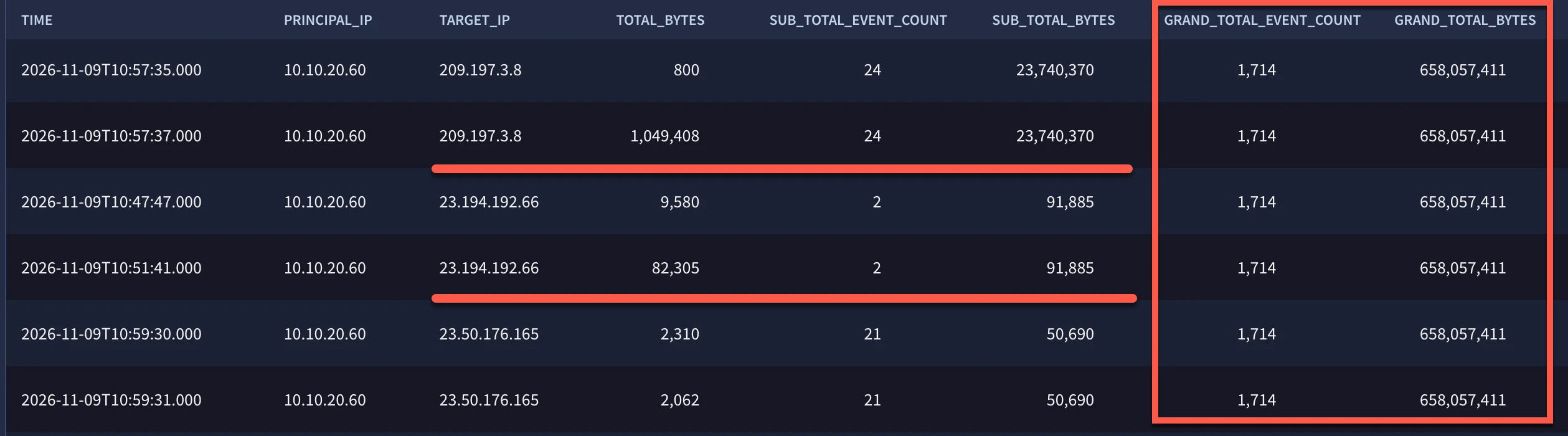
Notice that the subtotals for both bytes and counts change when the principal and target IP changes. This is because the window specified for the subtotals is partitioned by principal and target IP. The red lines highlight where these changes occur. The grand totals do not have partitions defined so they remain the same for all rows in the results.
We’ve started getting a little deeper into the capabilities that EXTEND unlocks with the introduction of window function calls. There are more capabilities I am looking forward to sharing but to keep this blog from doubling (or tripling!) in length, we are going to stop here for today and come back next time with more ways to use EXTEND. In the meantime, here are a few things to keep in mind as you get started using window function calls:
- Window function calls can be used with the EXTEND or SELECT pipe operators
- These result in new columns containing aggregated values while maintaining the columns in an event whereas the AGGREGATE pipe just outputs aggregated values and their group by columns
- The OVER clause without a window (no partition within the parentheses) will generate a total aggregated value for the entire result set
- Adding the keywords PARTITION BY in the window followed by one or more columns will generate a subtotal
- While we used the aggregation functions of sum and count in these examples, other aggregation functions can be used as well
Give the examples we built a try and let us know how it goes. I’ll be back with more tips and more pipes that will build on the concepts we covered today as we go deeper into SQL pipes!
