




We’ve previously discussed a number of capabilities that data tables provide Google Security Operations (SecOps) including handling large data sets, writing to data tables from rules and searches as well as extending the entity graph for more advanced use cases. If you would like to learn more about any of these, here is some of our past work on these topics.
- Writing to Data Tables from Rules in Google SecOps
- Creating Large Reference Datasets and Using Them In Rules
- Write Once, Update Many with Data Tables
- An Introduction to Extending the Entity Graph with Data Tables
- Overriding the Entity Graph with Data Tables
- Writing Rules Overriding the Entity Graph with Data Tables
- Excluding Entities from Rules Using Data Tables
- Appending Data Tables to the Entity Graph
Today, we are going to explore row expiration and time to live (TTL) with data tables. There may be times when the data in a data table needs to be aged out and TTLs can make this occur without continual user pruning and intervention. These capabilities can be layered onto concepts that have been previously discussed and can provide you additional flexibility when using data tables in SecOps.
The contents of a data table never expire, unless you set an expiration. That expiration can be set as a Default Row Expiration for the entire table or at the individual row level. The time range for the expiration ranges from one hour to 365 days. The examples we go through today will all be on the one hour end of that range, but the concepts are the same.
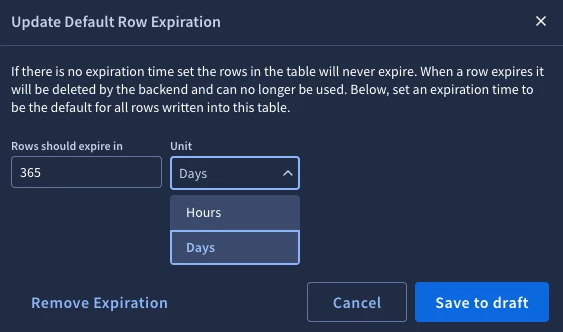
To set this value at the data table, click the Default Row Expiration button above the tabular view. The pop-up above allows us to set the row expiration in hours or days as well as Save to draft. It’s worth mentioning that once you do this, you will still need to save the table to lock this expiration range in. If you decide you want to remove the expiration, you can edit the data table and click Remove Expiration and save this change.
Individual data table rows can also be assigned their own TTL. To the immediate left of Default Row Expiration is an option button titled Show TTL. Clicking this will append to the right of the columns in the data table a TTL column with the amount of time left for each row. If a TTL does not exist, the word Set will appear. You may need to scroll horizontally to see the TTL column if there are a number of rows in the data table.
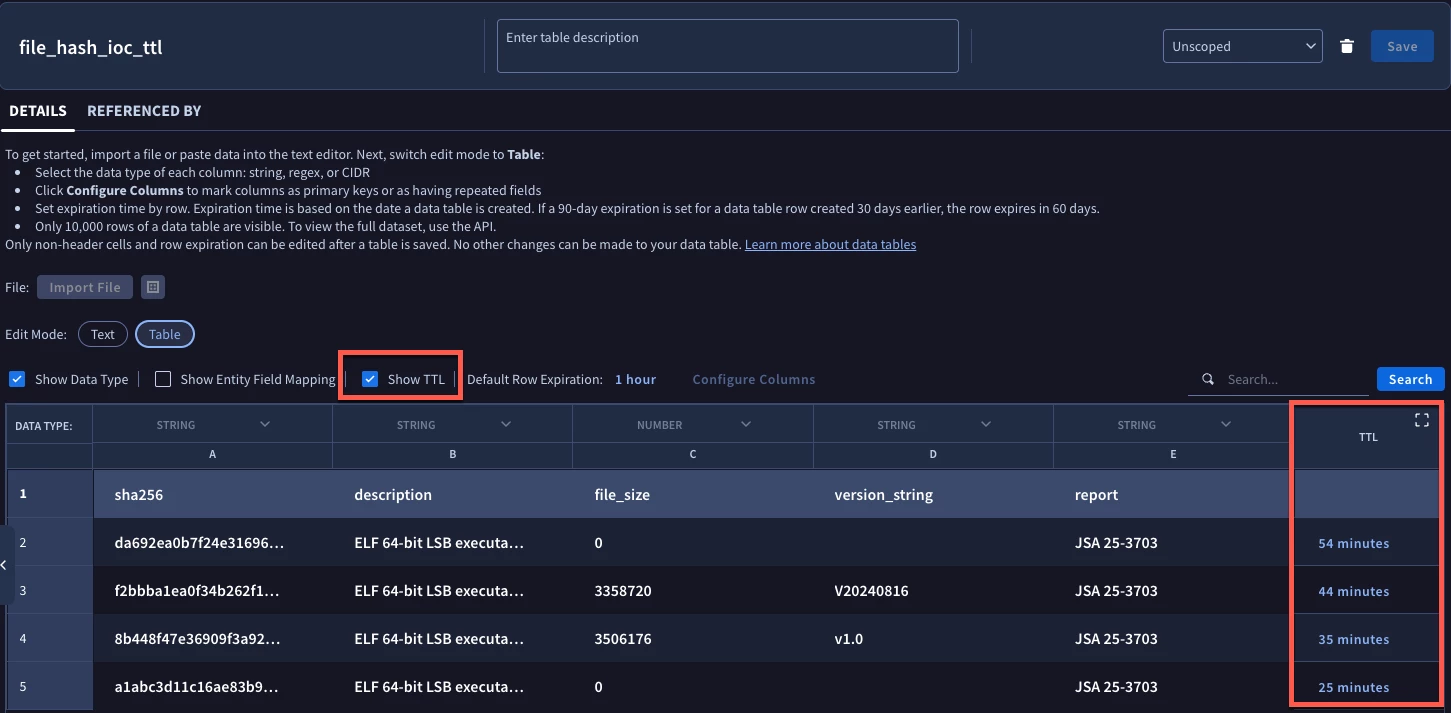
In this example, the data table contains a small set of IOCs and within the TTL column we can see that they have varying amounts of time left before each IOC ages out. These TTLs can be modified by the user if a row needs to be extended or shortened.
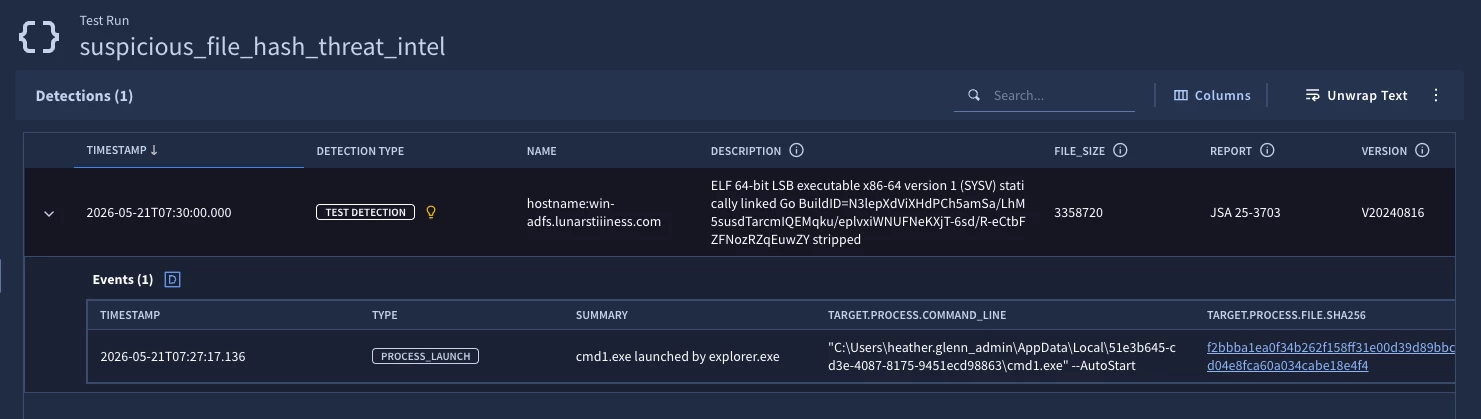
To illustrate the aging out process, here is a basic rule that matches file hashes with events. We are matching process launch hashes to the rows in this data table, aggregating by the principal.hostname and outputting the data table attributes via outcome variables in the detection.
rule suspicious_file_hash_threat_intel {

  meta:
    author = "Google Cloud Security"
    description = "Detect file events that match ISAC and global threat intel list"
    severity = "Medium"
    priority = "Medium"

  events:
    $process.metadata.event_type = "PROCESS_LAUNCH"
    $process.target.process.file.sha256 != ""
    $process.target.process.file.sha256 = $hash
    $process.principal.hostname = $hostname

    %file_hash_ioc_ttl.sha256 = $hash

  match:
    $hostname over 1h

  outcome:
    $description = array_distinct(%file_hash_ioc_ttl.description)
    $file_size = array_distinct(%file_hash_ioc_ttl.file_size)
    $version = array_distinct(%file_hash_ioc_ttl.version_string)
    $report = array_distinct(%file_hash_ioc_ttl.report)

  condition:
    $process
}
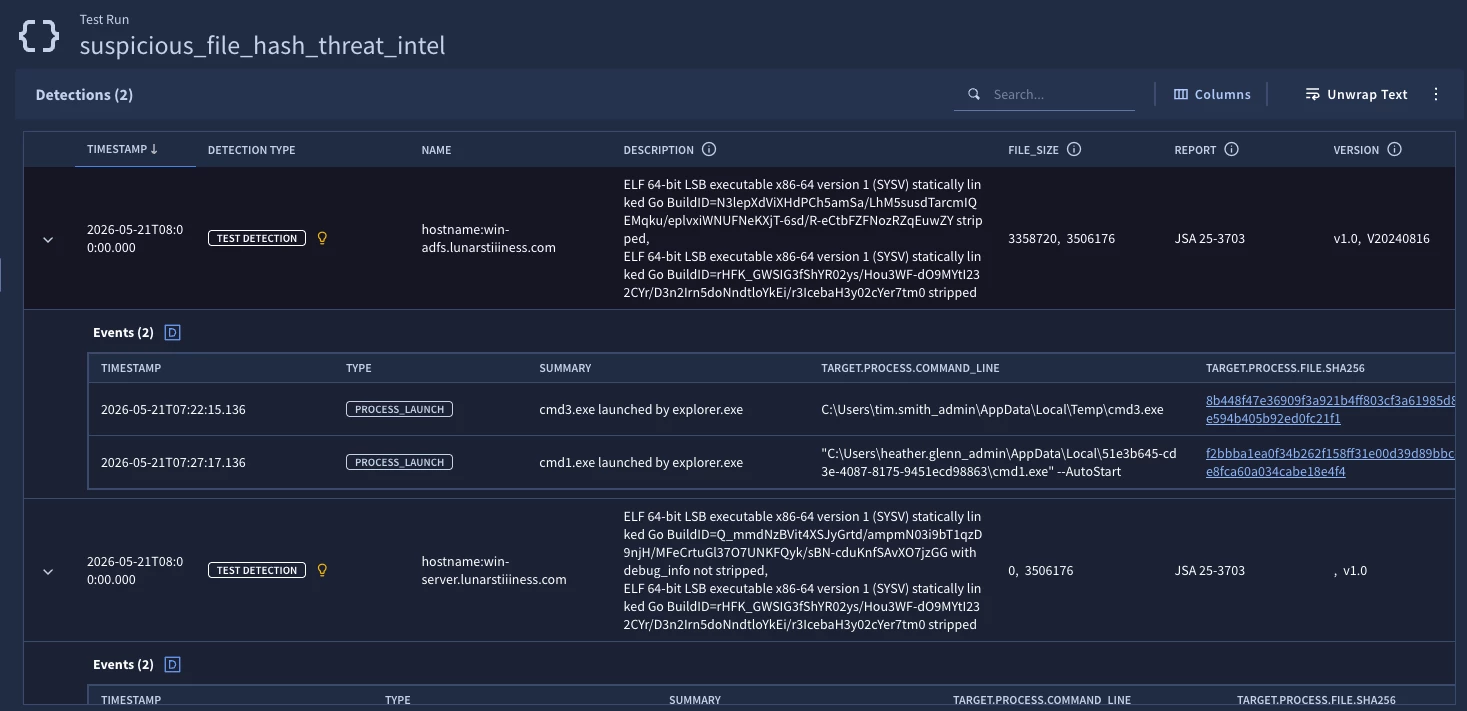
With the data table as constituted above, the test rule triggers with two detections, each with two events in it. We can find those hashes in the data table above and in the detection we can view the metadata associated with the hashes from the data table.
Time marches on, and when I return to my data table about 30 minutes later, I can see that the composition of the data table has changed. For starters, notice there are only three rows in the data table because rows have started to age out.
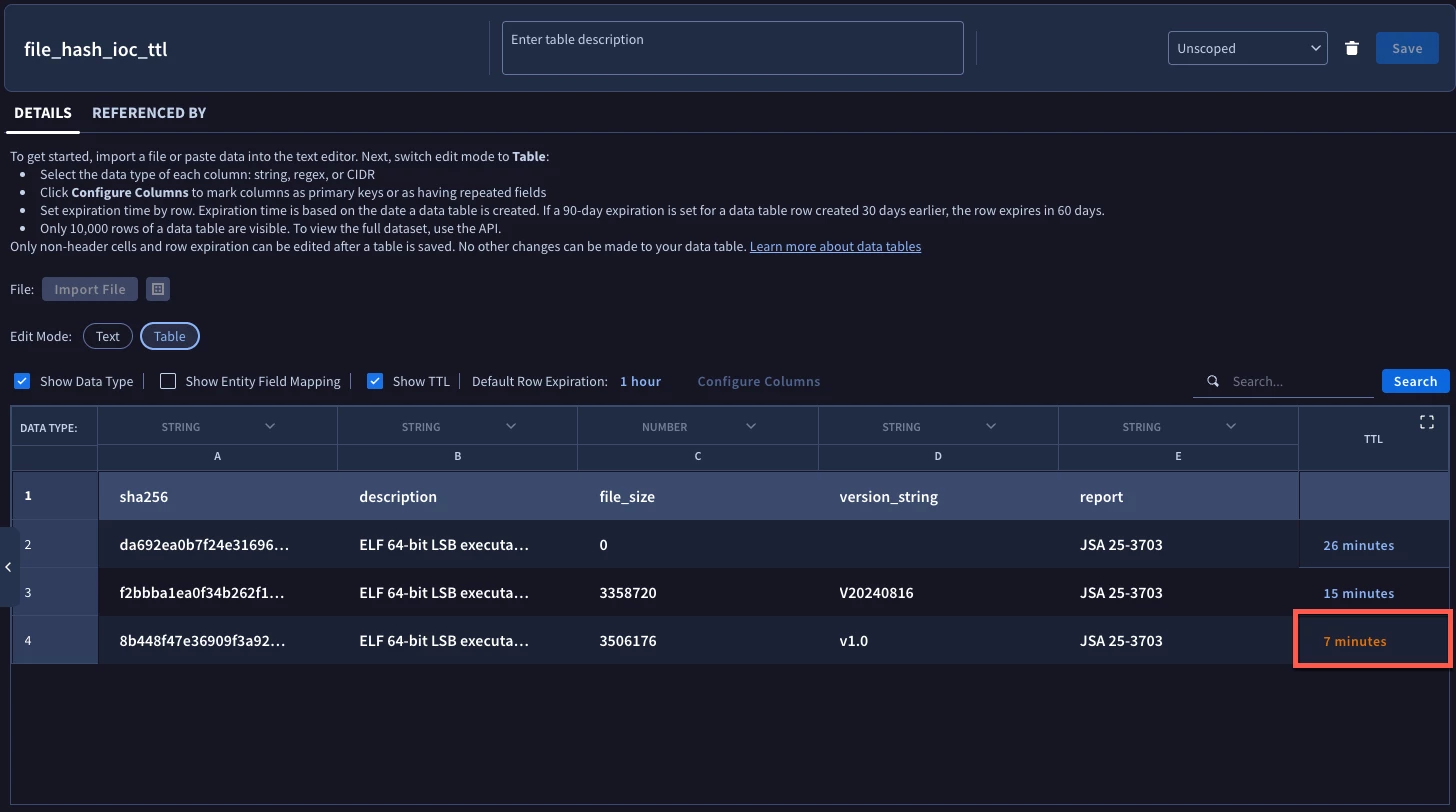
The TTL on the hash starting with 8B44 is now orange indicating that it is near the end of its life as well. When I re-ran that test rule about ten minutes later for the same time range, the results have shrunk to a single detection and this hash is no longer considered by the rule because it is no longer part of the data table.
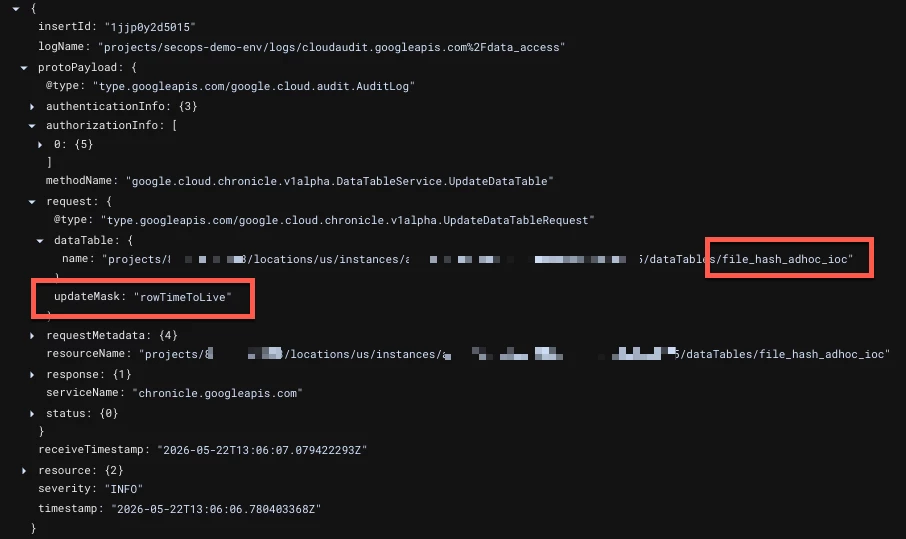
When data tables have a row expiration applied to it or removed, SecOps records in the GCP audit log an UpdateDataTable event associated with the data table and the user who made the change. Notice in the Log Explorer log below the data table name and the value for updateMask is set to rowTimeToLive.
Adding TTLs to rows in data tables can be helpful when it comes to working with dynamic lists that need to be periodically purged of data that is no longer relevant. Here are a few things to be mindful of when using TTLs:
- The row expiration can range from one hour to one year
- Row expiration can be set at a table level or a row level
- TTLs can be modified if needed
- The TTL column will need to be toggled on and appears on the far right of the data table
If you find yourself wanting to age out data from data tables, even for just a few subsets of data, I encourage you to give row expiration and TTLs a try!



