

Solved

Test Rule not matching UDM Search results

  • January 30, 2026
  • 6 replies
  • 156 views

EP0
Forum|alt.badge.img+5

Hi there,

I am testing a detection rule with Zscaler, specifically trying to detect “malicious download” behaviors.

I have a simple single event query which returns results when ran in UDM search: 

$e.metadata.vendor_name = "Zscaler"
$e.metadata.log_type = "ZSCALER_WEBPROXY"
$e.metadata.event_type = "NETWORK_HTTP"
$e.security_result.action = "BLOCK"
(
    $e.security_result.threat_name = /malicious behavior/ nocase  
    or $e.security_result.description = /malicious/ nocase 
    or $e.security_result.associations.description = /sandbox/ nocase
)
$e.security_result.category_details = /Download|Shareware|FileHost/ nocase
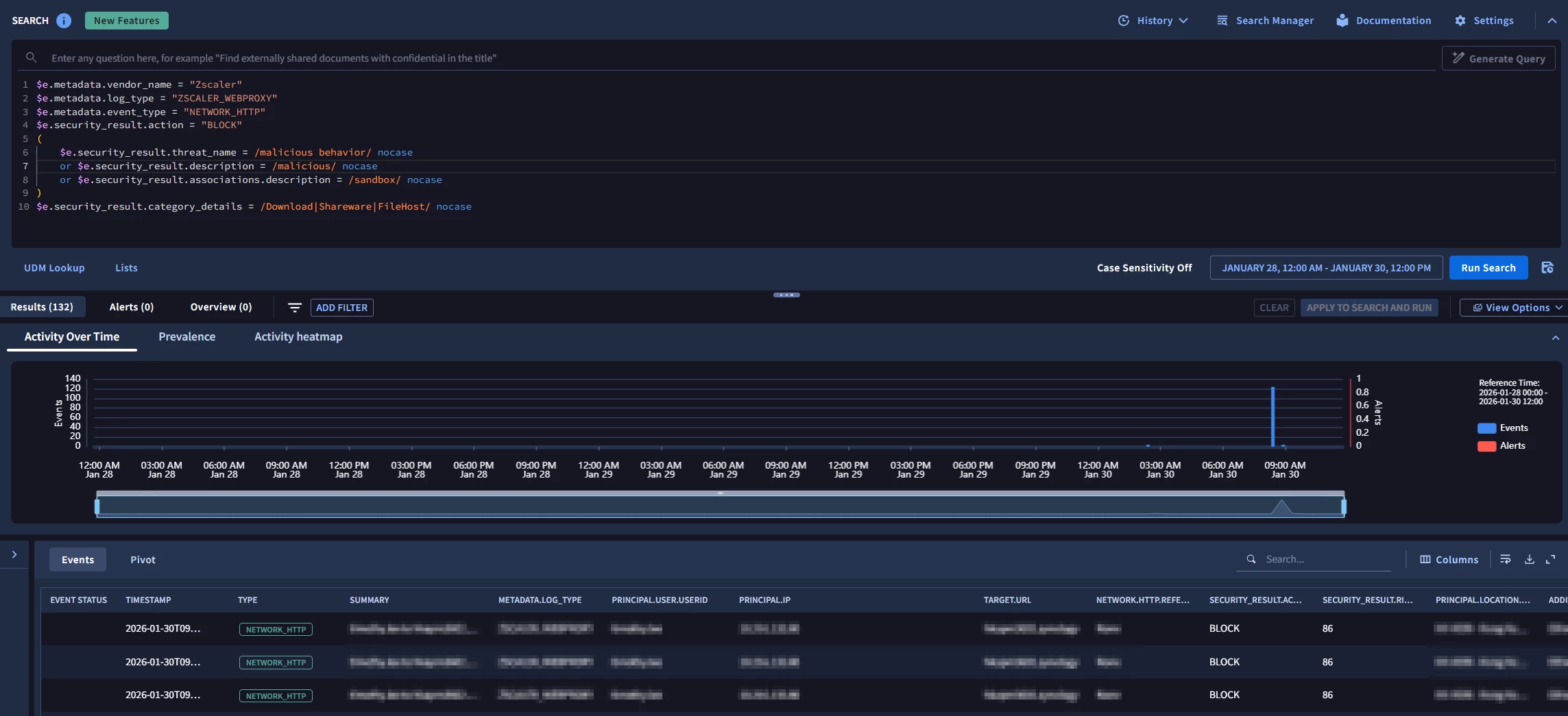

However, using the same core logic as a YARA-L and with the same timeframe testing it with “RUN TEST”, I am getting no result:
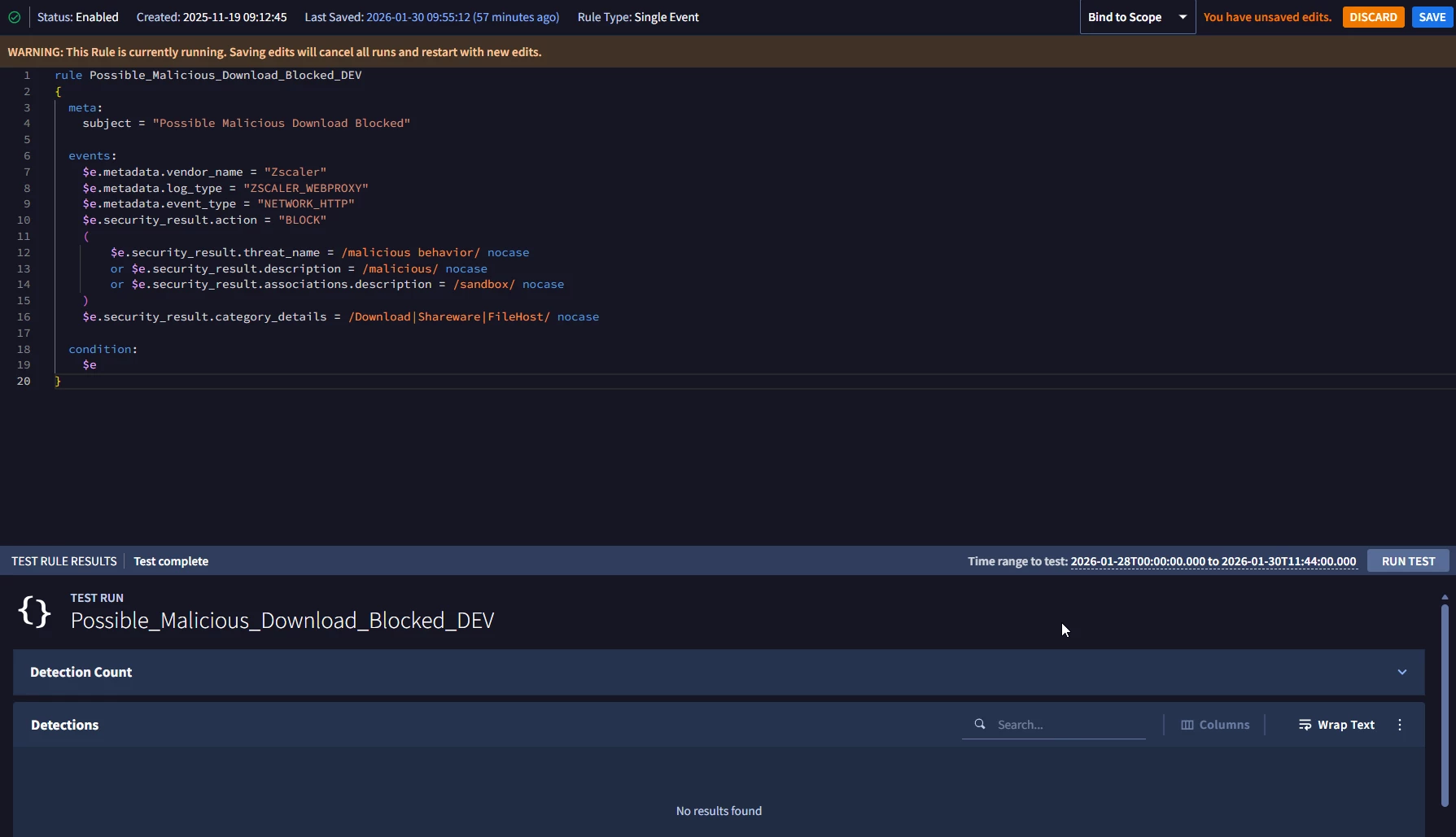

This post Detection Rule Test | Community seems to suggest data freshness as a potential issue but I don’t believe this has something to do with it as the events occurred more than an hour ago.

I’m new to SecOps and I would appreciate if someone could help me figure out what I’m doing wrong or if I’m missing something here, thanks!
​​​​​​​

Best answer by Asura

Hello ​@EP0,


I also have the same error with your query in our instance (we also have ZSCALER_WEBPROXY logs).


I was able to find your issue.


security_result is a repeated field, with zscaler logs you can have multiple of them.

The trick is that not all of them will contain some of the udm fields you are requesting such as category_details. By default in a rule, it will stop at the first instance of security_result.


To solve your issue, just put “any” in front of each security_result condition, and you will get hits in the rule engine. 

Below is my working rule I built using the exact same logic you wanted:

events:
$e.metadata.log_type = "ZSCALER_WEBPROXY"
$e.metadata.event_type = "NETWORK_HTTP"
$e.security_result.action = "BLOCK"
(
any $e.security_result.threat_name = /malicious behavior/ nocase or
any $e.security_result.description = /malicious/ nocase or
any $e.security_result.associations.description = /sandbox/ nocase
)
any $e.security_result.category_details = /Download|Shareware|FileHost/ nocase

outcome:
$ip = $e.principal.ip
$url = $e.target.url


I suppose that by default the search engine is unesting all the repeated fields which cause the gap of results between your search and rule identical query. Or just that the order is randomized and it was just bad luck to have results in the search engine.


ps: I removed the vendor, as you already have the log type filter which is more resilient (can’t be changed unless you recreate your feed, less prone to parser change or raw log modification).

6 replies

b00ms1cl3
  • New Member
  • February 3, 2026

Have you tried using no case on the vendor_name in the rule. Your search has case sensitivity turned off, but cannot be turned off for rules.


EP0
Forum|alt.badge.img+5
  • Author
  • Bronze 2
  • February 3, 2026

Have you tried using no case on the vendor_name in the rule. Your search has case sensitivity turned off, but cannot be turned off for rules.

Just tried $e.metadata.vendor_name = /Zscaler/ nocase in the rule and still the same thing, did not get a result 🙁


kentphelps
Community Manager
Forum|alt.badge.img+12
  • Community Manager
  • February 18, 2026

This question went through a lot of review but we found that no logic flaws were apparent in your configuration.  Can you try clearing cache and cookies to see if that makes any difference?


Asura
Forum|alt.badge.img+3
  • Answer
  • February 19, 2026

Hello ​@EP0,


I also have the same error with your query in our instance (we also have ZSCALER_WEBPROXY logs).


I was able to find your issue.


security_result is a repeated field, with zscaler logs you can have multiple of them.

The trick is that not all of them will contain some of the udm fields you are requesting such as category_details. By default in a rule, it will stop at the first instance of security_result.


To solve your issue, just put “any” in front of each security_result condition, and you will get hits in the rule engine. 

Below is my working rule I built using the exact same logic you wanted:

events:
$e.metadata.log_type = "ZSCALER_WEBPROXY"
$e.metadata.event_type = "NETWORK_HTTP"
$e.security_result.action = "BLOCK"
(
any $e.security_result.threat_name = /malicious behavior/ nocase or
any $e.security_result.description = /malicious/ nocase or
any $e.security_result.associations.description = /sandbox/ nocase
)
any $e.security_result.category_details = /Download|Shareware|FileHost/ nocase

outcome:
$ip = $e.principal.ip
$url = $e.target.url


I suppose that by default the search engine is unesting all the repeated fields which cause the gap of results between your search and rule identical query. Or just that the order is randomized and it was just bad luck to have results in the search engine.


ps: I removed the vendor, as you already have the log type filter which is more resilient (can’t be changed unless you recreate your feed, less prone to parser change or raw log modification).


EP0
Forum|alt.badge.img+5
  • Author
  • Bronze 2
  • February 19, 2026

Hello ​@EP0,


I also have the same error with your query in our instance (we also have ZSCALER_WEBPROXY logs).


I was able to find your issue.


security_result is a repeated field, with zscaler logs you can have multiple of them.

The trick is that not all of them will contain some of the udm fields you are requesting such as category_details. By default in a rule, it will stop at the first instance of security_result.


To solve your issue, just put “any” in front of each security_result condition, and you will get hits in the rule engine. 

Below is my working rule I built using the exact same logic you wanted:

events:
$e.metadata.log_type = "ZSCALER_WEBPROXY"
$e.metadata.event_type = "NETWORK_HTTP"
$e.security_result.action = "BLOCK"
(
any $e.security_result.threat_name = /malicious behavior/ nocase or
any $e.security_result.description = /malicious/ nocase or
any $e.security_result.associations.description = /sandbox/ nocase
)
any $e.security_result.category_details = /Download|Shareware|FileHost/ nocase

outcome:
$ip = $e.principal.ip
$url = $e.target.url


I suppose that by default the search engine is unesting all the repeated fields which cause the gap of results between your search and rule identical query. Or just that the order is randomized and it was just bad luck to have results in the search engine.


ps: I removed the vendor, as you already have the log type filter which is more resilient (can’t be changed unless you recreate your feed, less prone to parser change or raw log modification).


@Asura that solved my issue, thank you so much!


Asura
Forum|alt.badge.img+3
  • February 19, 2026

No problem, pleasure is mine


